 Saas

FreshBooks
The only fighter in this division that rations billable clients rather than invoices, sold on three self-serve tiers plus a quote, with team members priced as an add-on on every one of them
Scored on the published rubric, from documentation, pricing and verified user reports.
Best for: Single operators and two-person shops who bill a small, stable roster of clients, want proposals, retainers and project profitability in the same place as the invoice, and value a published refund window over a low seat price.
Verdict
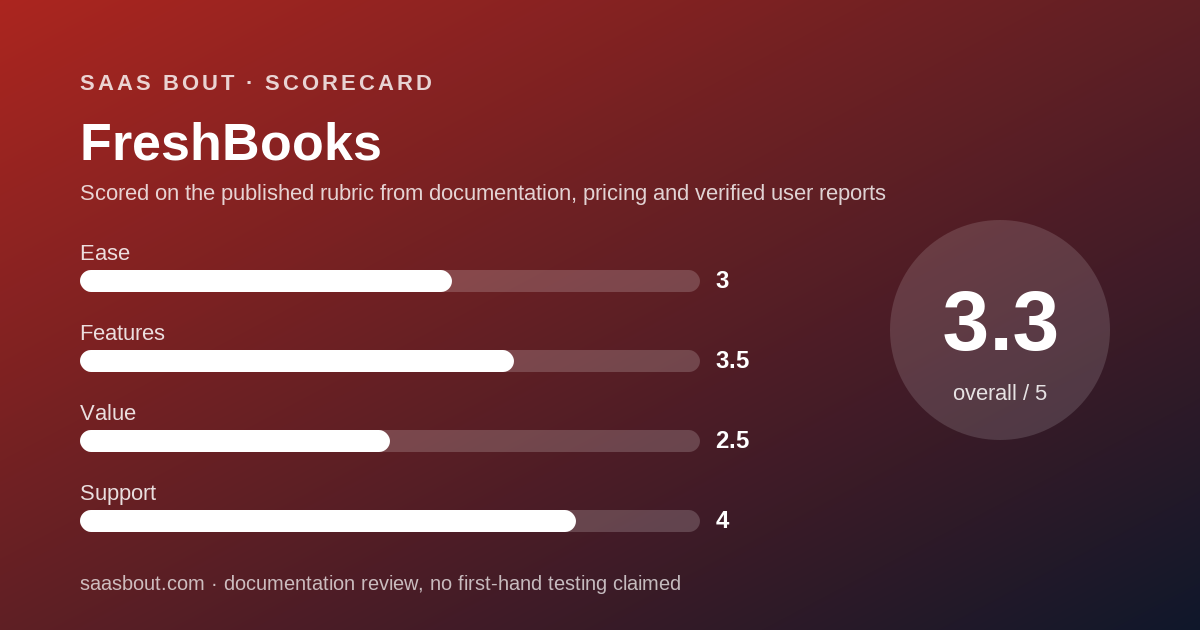
FreshBooks scores 26 on our four-round card: ease 6, features 7, value 5, support 8. It takes third place in the accounting division behind Xero on 30 and Wave on 28, and it wins the support round outright. This is a documentation review. Every figure comes from the FreshBooks pricing page rendered in a headless browser, the embedded plan price data in that page, the 54-row plan comparison table and the pricing FAQ, all read on November 1, 2026. No trial accounts and no staged demos sit behind any number here. Ease scores 6 because the headline figures on the page are four-month promotional rates, and the standing prices had to be read out of the page data rather than off the cards. Features scores 7: proposals, retainers, project profitability, accounts payable, mileage and time tracking are all here, and the free tier is not. Value scores 5, the lowest on this card, because Lite rations billable clients to five and every extra person on the account is $11 a month. Support scores 8, the highest single round in the division: a 30-day trial with no credit card, free phone and email support during it, and a stated full refund inside the first 30 days after purchase.
Visit FreshBooks
We have no affiliate relationship with this vendor. Link goes to the official site.
Where it is strong
- The 30-day trial asks for no credit card and no contract, and the pricing FAQ says it includes free phone and email support for setup questions
- A refund promise is printed in plain words: contact FreshBooks any time within the first 30 days after purchase for a full refund
- Invoices are unlimited on every tier, including Lite, so the meter is on client names rather than on work done
- Plus at $43 a month brings double-entry accounting reports, bank reconciliation, accountant access and automatic expense receipt capture
- Premium at $70 a month adds project profitability, accounts payable, automatic bill receipt capture and customized client email templates
- Payment options on every tier are unusually wide: cards, digital wallets, ACH bank transfers, and buy now pay later through Affirm, Afterpay and Klarna
- Checkout links let you take money without raising an invoice at all, and that row is ticked on all four columns
- Time tracking, expenses, mileage capture, tax-time reports and automated bank import are ticked on Lite, so the cheapest tier is not a demo
- Transaction costs are published rather than hinted at: 2.9% plus $0.30 on most cards and 1% on ACH bank transfers through either FreshBooks Payments or Stripe
- Yearly billing is a flat 10% off, and the embedded plan data proves it: $23 a month is $248.40 a year, which is $276 less 10% by editorial arithmetic
Where it falls short
- Lite allows 5 billable clients. That is the tightest entry limit in this division, and the plan table counts archived clients against it as well as active ones
- Every person you add is $11 a month. The plan table prints no user allowance at all on Lite, Plus or Premium, so the headline price is a one-person price
- The prices shown on the plan cards are a promotion. The cards read $4.60, $8.60 and $14.00, which the same page labels 80% off for 4 months
- The standing prices of $23, $43 and $70 a month are present on the page only as struck-through text and in the embedded plan data, not as the figures the eye lands on
- There is no free tier. The only no-cost route is the 30-day trial, and after it the cheapest working plan for a business that needs bank reconciliation is Plus at $43
- Double-entry accounting reports and bank reconciliation are blank on the Lite column, so the entry tier is an invoicing tool rather than a set of books
- Advanced Payments is a separate $20 a month on Lite, Plus and Premium, and only Select carries it as Included
- Select has no published price and holds the things a growing shop asks for: lower card rates, in-person card payments, branding removal and onboarding services
- FreshBooks Payroll is $40 a month plus $6 a month per user on top of the plan, which is the most expensive published payroll add-on in this division
- The four ratings printed on the page, 4.5 from PCMag, 4.5 from Capterra, 4.5 from G2 and 4.7 from Forbes, carry no date and no sample size
- Public aggregate rating pages could not be read for this review. Trustpilot returned a bot block to a headless browser on November 1, 2026, so no third-party score is printed here
At a glance
| Free plan | None. A 30-day trial with no credit card is the only no-cost route |
|---|---|
| Entry price | Lite $23/mo, or $248.40/yr on yearly billing |
| Pricing note | From $23 a month for 5 billable clients, or $248.40 a year on yearly billing, before any team member is added (pricing page and embedded plan data, read November 1, 2026) |
| Main team plan | Plus $43/mo, or $464.40/yr |
| Top self-serve plan | Premium $70/mo, or $756/yr |
| Quote tier | Select, no published price, Request Demo only |
| Billable client limits | Lite 5, Plus 50, Premium unlimited, Select unlimited. Archived clients count |
| Users included | Not printed for Lite, Plus or Premium. Select reads 2 Team Member Accounts Included |
| Per-person add-on | Team Members $11/mo per person on all four tiers |
| Other add-ons | Advanced Payments $20/mo, Included on Select. FreshBooks Payroll $40/mo plus $6/mo per user |
| Yearly discount | 10% off twelve monthly payments, confirmed by the embedded plan data |
| Double-entry reports | Plus and above |
| Bank reconciliation | Plus and above |
| Transaction fees | 2.9% plus $0.30 on most cards, 1% on ACH, through FreshBooks Payments or Stripe |
| Trial | 30 days, no contract, no credit card, with free phone and email support |
| Refund | Full refund if you contact FreshBooks within the first 30 days after purchase |
What FreshBooks actually is
FreshBooks is an invoicing product with double-entry accounting bolted on, and it meters the one thing most rivals give away: how many clients you are allowed to bill.
That number is the shape of the whole price list. Lite allows 5 billable clients, Plus 50, Premium and Select unlimited, per the plan comparison table read November 1, 2026.
Invoices are unlimited on every tier. So the meter is not on work done, it is on how many names the work is spread across.
The second thing to know is that the books do not start at the bottom. Double-entry accounting reports and bank reconciliation are blank on the Lite column and ticked from Plus up.
The third is seats. The table prints a user allowance for exactly one plan, Select, where it reads 2 Team Member Accounts Included.
No user count appears on Lite, Plus or Premium. Instead there is an add-on row: Team Members at $11 a month per person, on all four tiers.
So every headline price is a single-operator price. A four-person shop on Plus is $76 a month by editorial arithmetic.
If billable hours feed those invoices, the timer sits in a different division. Our card scores Harvest and Clockify there.
Who FreshBooks is best for
The fit here is about roster size and paperwork, not about price.
- Single operators and two-person shops, since the plan price covers one login and extras are $11 a month each
- Agencies that send proposals and run retainers, both of which arrive on Plus at $43 a month
- Shops that manage by project margin, which is what the Premium-only project profitability row is for
- Consultants whose clients want instalments, because Affirm, Afterpay and Klarna are ticked on every tier
- Buyers who will not sign without a refund window, the only one published in this division
- Businesses that bill a short roster repeatedly, not many one-off customers
Who should skip it
Three profiles hit a wall that no tier removes.
- Teams of four or more, where $11 a person turns a flat plan into a per-seat plan
- Businesses with long or churning client lists, since archived clients hold slots
- Anyone who needs bank reconciliation on the cheapest tier, which Lite lacks
What each plan includes (as of November 2026)
Lite is $23 a month. It carries 5 billable clients, unlimited customized invoices and estimates, recurring invoices, late fees and reminders, unlimited time tracking, unlimited expenses, automated bank import, mileage capture, tax-time reports and bill pay.
What Lite does not carry is the accounting half. Double-entry reports, bank reconciliation, accountant access, e-signatures, proposals, retainers and automatic receipt capture are all blank on that column.
Plus is $43 a month and badged Most Popular. It lifts the roster to 50 clients and ticks every one of those missing rows.
That is the real step in this ladder. Plus is the first tier that keeps books rather than just raising bills.
Premium is $70 a month with unlimited clients. It adds project profitability, accounts payable, automatic bill receipt capture and customized client email templates.
Select is a quote. It holds branding removal, lower card rates, in-person card payments, line-item bill capture, 2 included team member accounts, Select-only support and customized onboarding.
Then three add-ons sold on top of a plan. Advanced Payments is $20 a month on the self-serve tiers and Included on Select.
Team Members are $11 a month per person everywhere. FreshBooks Payroll is $40 a month plus $6 a month per user.
How the pricing is structured
Two billing modes, three self-serve prices, one quote, three add-ons, and a promotion sitting on top of all of it.
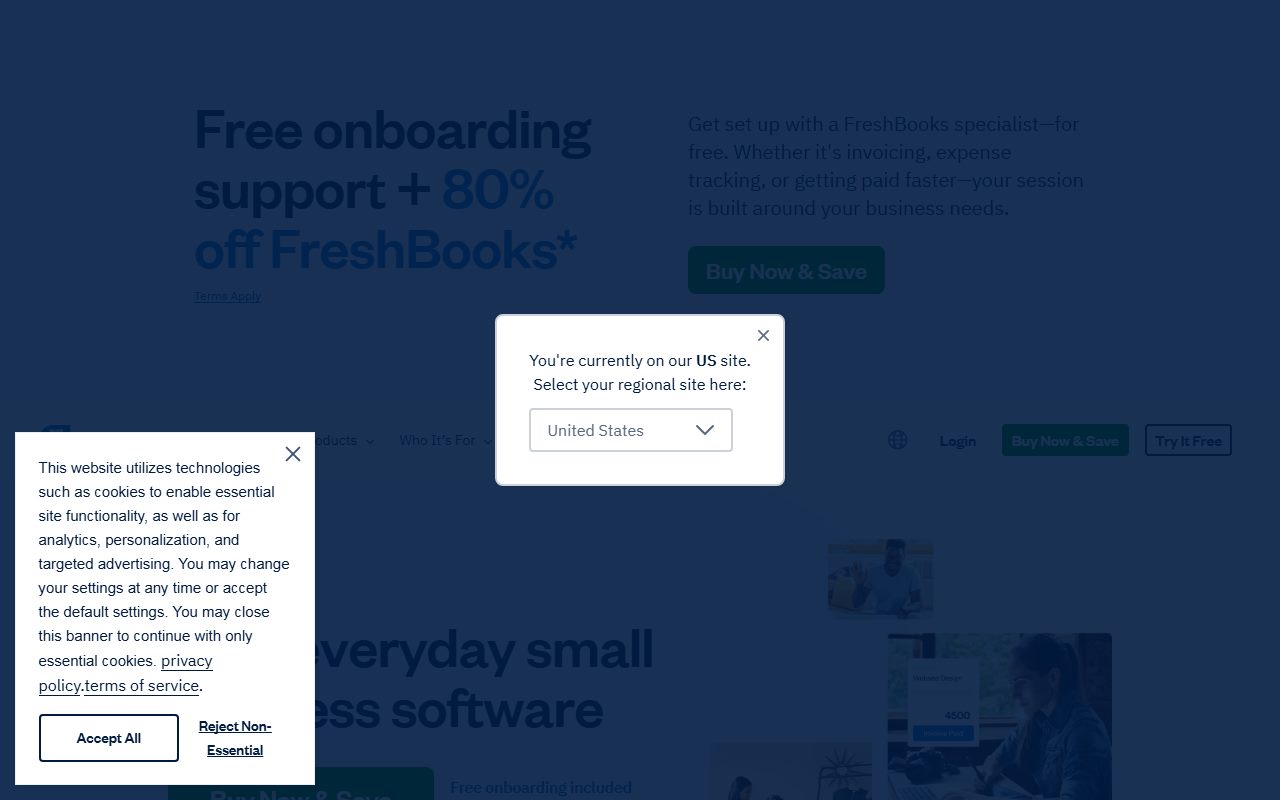
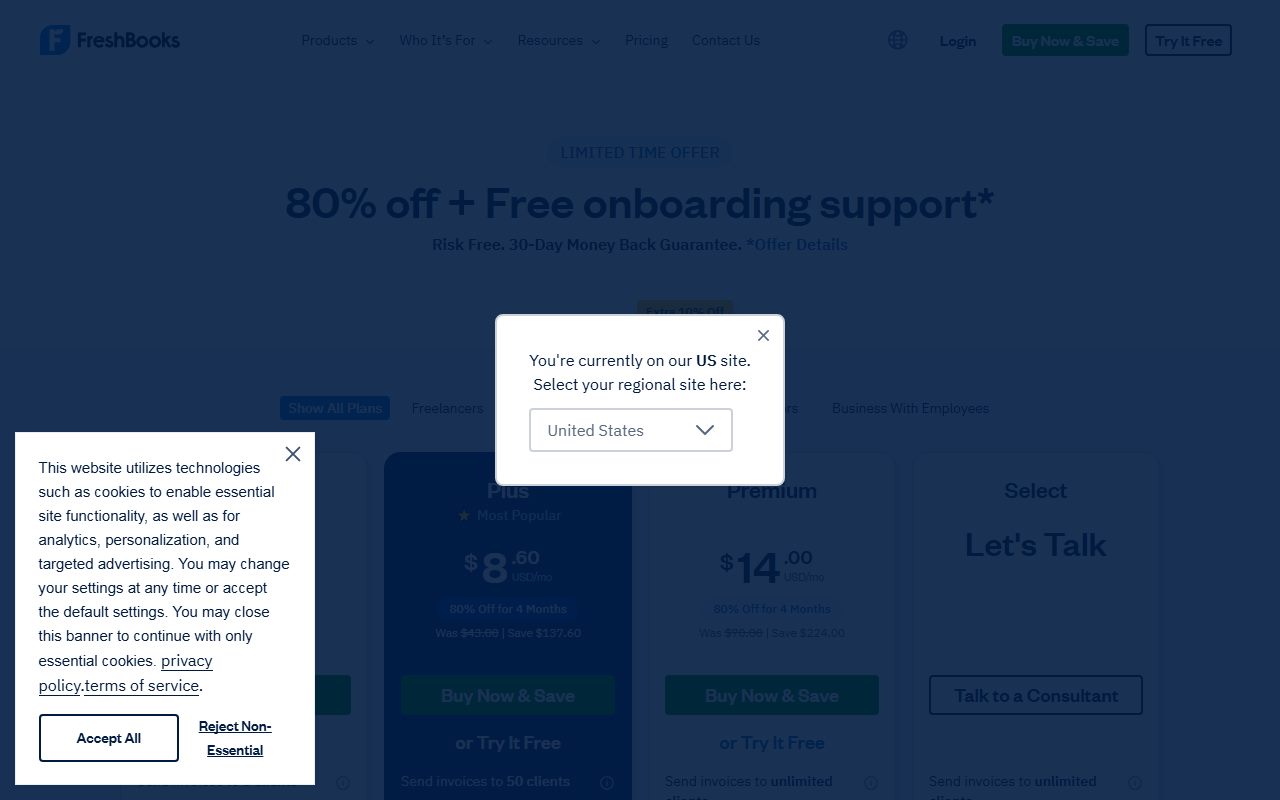
The promotion is the first thing a reader sees. A banner reads 80% off plus free onboarding support, limited time, and the plan cards show $4.60, $8.60 and $14.00.
Beside each of those sits struck-through text giving the standing rate: $23.00, $43.00 and $70.00 a month. The same page labels the discount as 80% off for 4 months.
The yearly figures took more digging. The plan data embedded in the page gives $248.40, $464.40 and $756.00 a year for Lite, Plus and Premium.
Those numbers survive the multiplication check. Twelve months of $23 is $276, and 10% off that is $248.40, which matches the Extra 10% Off badge on the yearly toggle.
So yearly billing is a flat 10% cut, or $20.70, $38.70 and $63.00 a month equivalent by editorial arithmetic. The page prints none of those three equivalents.
What is missing from the structure is a user allowance. Team members appear only as a monthly add-on with no yearly rate, so a yearly subscriber cannot read an all-in cost off this page.
The client cap is the meter that decides this purchase
Five clients is a smaller allowance than it sounds, because the pricing FAQ says the count includes archived clients as well as active ones.
A freelancer who has invoiced eight people in two years is already over the Lite limit, even if only two are current. Deleting a client frees a slot and keeps their invoices accessible.
So the real question is not how many clients you have now. It is how many names will ever sit in the account.
At 50 names Plus holds, and at that point the cap stops being the constraint and the $11 per person line takes over.
A solo consultant with 20 clients pays $43 a month on Plus, which is $516 a year by editorial arithmetic. The same consultant with two staff logins pays $65 a month, so $780.
That is the structural point about this price list. It is sold as a per-business subscription and behaves as a per-seat one above one person.
Teams that already pay per seat elsewhere should read that line next to their existing stack. Our CRM fight card and project management fight card score the same question elsewhere.
Round 1, ease: what the 6 is built from
Six is a middling mark, and the promotion is what costs the points.
The page is well organised. Three plan cards, one quote column, a 54-row comparison table in six labelled sections, and a long FAQ that answers the client-limit question directly.
The table is honest where honesty costs something. The client row says 5, 50, Unlimited, Unlimited in words rather than ticks, and the add-on rows sit outside the plan columns.
Four points come off. The first is the headline substitution: the figures printed largest are four-month promotional rates, and the rates you will actually pay are struck through beside them.
The second is the yearly price. The toggle promises an extra 10% off and never prints the resulting figure on a card, which is why those numbers had to come out of the page data.
The third is the missing user allowance. A buyer cannot tell from the plan columns how many logins a plan includes, only that extra ones cost $11.
The fourth is Select, a quote-only column holding several things a growing business will ask for.
Round 2, features: what the 7 is built from
FreshBooks is deep on the billing side and ordinary on the ledger side.
The billing side has no equal in this division. Estimates with e-signatures, proposals, retainers, deposits, scheduled late fees, automated reminders, checkout links that take money without an invoice, and a client portal with stored cards.
The money-in side is just as wide. Cards, digital wallets, ACH, and three buy-now-pay-later providers named on the page, all ticked on every tier.
The operational side is better than the price suggests. Unlimited time tracking, unlimited expenses, mileage capture, automated bank import, business health reports and dashboards are all on Lite.
Premium holds the two rows a service business will care about most: project profitability and accounts payable.
Three points come off. Nothing on this page mentions multiple currencies, inventory, or a cash flow forecast, three rows that rivals in this division publish.
The second goes to the Lite column, which is an invoicing app wearing an accounting label: no double-entry reports, no bank reconciliation, no accountant access.
The third goes to Advanced Payments. Charging a stored card and taking payment in person are gated behind a $20 add-on or the quote tier.
Businesses that already run signatures elsewhere should check the overlap. Our card scores DocuSign and Dropbox Sign, with the bout DocuSign vs Dropbox Sign.
Round 3, value: what the 5 is built from
Five is the lowest value mark in this division, and two lines explain it.
The first is the absence of a free tier. One rival publishes a $0 plan with unlimited invoices and bookkeeping records, so the floor here starts at $248.40 a year.
The second is what $23 a month buys. Five billable clients and no bank reconciliation is a narrow product, which pushes most real buyers to Plus at $43, or $464.40 a year.
At four people the arithmetic gets harder. Plus plus three team members is $76 a month, so $912 a year by editorial calculation on monthly billing.
The yearly route is cheaper but unquotable from this page, because the $11 add-on has no published annual rate.
What holds the round at 5 rather than lower is that nothing in the billing feature set is withheld from the cheapest tier.
Unlimited invoices, unlimited estimates, time tracking, expenses, mileage and bank import on a $23 plan is more than the entry tier of either rival carries.
Round 4, support: what the 8 is built from
Eight is the highest single-round mark in this division, earned by two commitments nobody else here prints.
The first is the trial. Thirty days, no contract, no credit card, and the FAQ states it includes free phone and email support for setup questions.
The second is the refund. The page says that if you are not satisfied you can contact FreshBooks any time within the first 30 days after purchase for a full refund.
Neither rival in this division publishes a refund window at all.
Two points come off. No support response target appears anywhere on the page, and no support channel is listed per tier.
The Select column carries exclusive support access, onboarding services and Easy Switch migration help, so the named service commitments sit behind the price nobody can read.
Limits stated by the vendor
Published on the pricing page, its plan comparison table and its pricing FAQ as of November 1, 2026.
- Billable clients: 5 on Lite, 50 on Plus, unlimited above. Archived clients count toward the limit
- Double-entry reports, bank reconciliation, accountant access, e-signatures, proposals, retainers, expense receipt capture: Plus and up
- Bill receipt capture, project profitability, accounts payable, customized client email templates: Premium and up
- Branding removal, lower card rates, in-person card payments, line-item bill capture, 2 included team members, Select support, onboarding, Easy Switch: Select only
- Team Members: $11 a month per person on all four tiers, with no annual rate published
- Advanced Payments: $20 a month on the self-serve tiers. Included on Select
- FreshBooks Payroll: $40 a month plus $6 a month per user
- Transaction fees: 2.9% plus $0.30 on most cards and 1% on ACH
- Yearly billing: 10% below twelve monthly payments, giving $248.40, $464.40 and $756.00
- Trial 30 days, no card. Refund if raised within the first 30 days after purchase
- Not published here: multiple currencies, inventory, cash flow forecasting, support response targets, self-serve user allowances
The ratings on this page carry no date and no sample
Four third-party scores are printed near the bottom of the pricing page, and all four are chosen by the vendor.
They read 4.5 Outstanding from PCMag, 4.5 Excellent from Capterra, 4.5 Excellent from G2 and 4.7 Excellent from Forbes.
None carries a review count, a date, or a link to the underlying profile. A rating without a sample size cannot carry weight either way.
An independent check was attempted and failed. Trustpilot returned a bot block to a headless browser on November 1, 2026, so no aggregate score is printed here.
Alternatives
Xero. Choose it if more than two people need logins, because its pricing page states no per-user license fees while FreshBooks charges $11 a month per person. Otherwise choose FreshBooks for proposals, retainers and a refund window.
Wave. Choose it if the budget is zero, since its Starter plan is $0 with unlimited invoices and bookkeeping records. Otherwise choose FreshBooks if project profitability and accounts payable are the reports you manage by.
Both rivals are scored on the same four rounds in our accounting division, from the same source type: the vendor's own pricing page read in a headless browser.
If the gap is collecting the work rather than billing it, the fix is upstream. Our card scores ActiveCampaign and HubSpot CRM.
Bottom line
FreshBooks takes 26 on this card by winning the support round and losing the value round.
Do not plan on Lite unless your lifetime client list is genuinely under five names. It has no bank reconciliation and no double-entry reports, which is most of what people mean by accounting.
The plan to buy is Plus at $43 a month, or $464.40 on yearly billing, which is $38.70 a month equivalent by editorial arithmetic.
Go to Premium at $70 only if project profitability or accounts payable is the report you actually open. That is $756 a year.
Price the people before you compare anything. Three extra logins add $33 a month, and that one line moves this product from cheapest to dearest in its division.
Treat the card prices as an offer, not a rate. The figures printed largest are an 80% discount running for four months.
Every figure above was read on the FreshBooks pricing page, its embedded plan data, its comparison table and its FAQ on November 1, 2026. Confirm prices and add-ons at checkout.
Buy it if
- Your client roster is short and stable, because 5 names on Lite or 50 on Plus is a hard ceiling that counts archived clients too
- You want proposals, estimates with e-signatures and retainers in the invoicing tool, all of which arrive on Plus at $43 a month
- Project profitability is the number you manage by, which sits on Premium at $70 a month alongside accounts payable
- A published refund window matters to you, since the 30-day money-back promise is the only one printed in this division
- Clients want to pay in instalments, because Affirm, Afterpay and Klarna are ticked on every tier
Skip it if
- More than two people need logins, as each one is $11 a month on top of a plan that prints no user allowance
- You need books rather than bills on the cheapest tier, because double-entry reports and bank reconciliation start on Plus
- Your client list is long and churns, since archived clients occupy slots until you delete them
- You want to spend nothing while you start up, because there is no free tier at all
Frequently asked
How much does FreshBooks cost?
Lite is $23 a month, Plus $43 and Premium $70, with Select quoted. On yearly billing the same plans are $248.40, $464.40 and $756 a year. All six figures come from the plan data embedded in the pricing page, read November 1, 2026.
Is FreshBooks free?
No. There is no free tier. The page offers a 30-day trial with no contract and no credit card required, and the FAQ says the trial includes free phone and email support. After it you have to pick a paid plan.
How many clients can I bill on FreshBooks?
Five on Lite, 50 on Plus, unlimited on Premium and Select. The pricing FAQ adds that the limit counts both active and archived clients, so deleting a finished client is what frees a slot.
Does FreshBooks charge per user?
Yes, through an add-on. Team Members are listed at $11 a month per person on all four tiers. The plan table prints no included user count for Lite, Plus or Premium, and only Select reads 2 Team Member Accounts Included.
Which FreshBooks plan has double-entry accounting?
Plus and above. The Double-Entry Accounting Reports row is blank on the Lite column and ticked on Plus, Premium and Select, as are Bank Reconciliation and Accountant Access. That makes Plus at $43 a month the cheapest tier that keeps books.
What does FreshBooks charge per transaction?
The pricing FAQ lists 2.9% plus $0.30 per transaction on most cards and 1% on ACH bank transfers, through either FreshBooks Payments or Stripe. Lower card rates are listed as a Select-only benefit, with no rate published.
Can I get a refund from FreshBooks?
The page states that if you are not satisfied you can contact FreshBooks any time within the first 30 days after purchase for a full refund. That is the only refund window published by any vendor in this division.
Why are the prices on the FreshBooks page so low?
Because they are promotional. The cards show $4.60, $8.60 and $14.00 under a banner reading 80% off plus free onboarding support, limited time. The standing rates of $23, $43 and $70 appear as struck-through text beside them.
Sources
- FreshBooks pricing page: plan cards, the 54-row plan comparison table, the add-on rows and the pricing FAQ, rendered in a headless browser - checked November 1, 2026
- Plan price data embedded in the same page: monthly and annual figures for Lite, Plus and Premium, plus the promotional campaign prices - checked November 1, 2026
- FreshBooks terms of service - checked November 1, 2026
Update history
- November 1, 2026 - First scorecard. The plan cards display promotional rates of $4.60, $8.60 and $14.00 under a banner reading 80% off for 4 months; the standing rates of $23, $43 and $70 appear as struck-through text, and the yearly figures of $248.40, $464.40 and $756.00 were taken from the plan price data embedded in the same page because no card prints them. The multiplication was checked: $23 times 12 is $276, less 10%, is $248.40, matching the Extra 10% Off badge on the yearly toggle. Monthly equivalents of $20.70, $38.70 and $63.00 are editorial calculations. The plan comparison table prints an included user count only on the Select column, so the statement that Lite, Plus and Premium publish no user allowance is a reading of absence, confirmed row by row. The four third-party ratings on the page (PCMag 4.5, Capterra 4.5, G2 4.5, Forbes 4.7) are reported as vendor-selected and undated. Trustpilot returned a bot block to a headless browser on November 1, 2026, so no aggregate user rating is printed.
Visit FreshBooks
We have no affiliate relationship with this vendor. Link goes to the official site.