 Saas
Best project management software for small teams (2026)
Our top pick for a small team is ClickUp, because its Core plan at $8 per user per month billed annually includes unlimited storage, Gantt, custom fields and 1,000 automation actions a month, its free plan has no member cap, and it takes the division with a 33 on our four-round card. monday.com Work Management is the pick for teams of 3 to 40 that want the easiest board to adopt, with Gantt and guests on Standard at $12. Asana is the pick for two-person teams and for teams that need portfolios and goals. Trello is the pick when a board is the entire job and $5 per user is the budget. This fight card ranks all four on four fixed rounds scored from the vendors' pricing pages and help centres plus verified user reports, all read on October 10, 2026. Jump to how we scored before you trust a number.
Our picks
- Best for the most tool per dollar: ClickUp
- Best for teams of 3 to 40 that adopt tools visually: monday.com Work Management
- Best for two-person teams and for portfolios and goals: Asana
- Best when a board is the whole job: Trello
The fight card at a glance
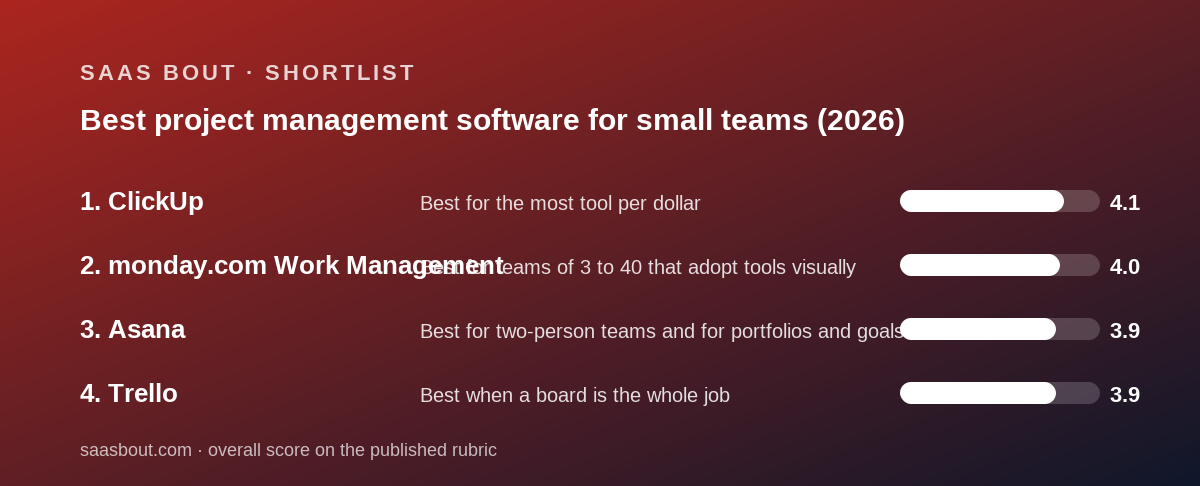
Four fighters, four rounds, one card. The totals: ClickUp 33, monday.com Work Management 32, Asana 31, Trello 31. Two points separate first from last, so the division is close and the right pick depends on team size, budget and who will set the tool up.
1. ClickUp, best for the most tool per dollar. Ease 7, features 9, value 9, support 8. Core $8 per user per month billed annually, Business $17. Free plan with unlimited members and 60 MB storage. 30-day refund.
2. monday.com Work Management, best for teams of 3 to 40 that adopt tools visually. Ease 9, features 8, value 8, support 7. Basic $9, Standard $12, Pro $19 per seat billed annually; 3-seat minimum. Free plan for 2 seats and 3 boards. 14-day Pro trial.
3. Asana, best for two-person teams and for portfolios and goals. Ease 8, features 9, value 7, support 7. Starter $10.99, Advanced $24.99 per user billed annually. Free for 2 users with unlimited projects. No refunds.
4. Trello, best when a board is the whole job. Ease 9, features 6, value 9, support 7. Standard $5, Premium $10, Enterprise $17.50 per user billed annually in US dollars. Free for 10 collaborators and 10 boards per Workspace.
Asana and Trello tie at 31; Asana ranks higher on the features tiebreak, 9 to 6. The bout that most buyers actually face is scored round by round in Asana vs monday.com. All four fighters sit in the project management division; the CRM fight card covers sales pipelines separately.
How we scored this card
We did not run paid trials or staged demos. Every number on this card comes from the four vendors' pricing pages and help centres plus verified user reports on Trustpilot and G2 comparison pages, read on October 10, 2026. Capterra and G2 product pages returned 403 on that day, so G2 figures are taken from its public comparison pages and are approximate.
Ease measures the first week. A board model that needs no training scores higher than a hierarchy that needs an admin, and a pricing page that prints 10-seat totals scores higher than one that hides monthly rates.
Features measures what the plan a small team buys actually includes. Gantt on an $8 plan counts for more than portfolio management on a quoted enterprise plan. Published caps, automation actions, storage, file size, are weighted over feature-list length.
Value is total cost for 10 seats on the plan most teams need and on the next tier, with seat minimums, refunds and trial terms counted. A cheaper headline that forces a 3-seat minimum or offers no refund loses points.
Support is what the vendor publishes per plan, and only secondarily what reviewers say. A vendor that lists 24/7 support on its free plan scores higher than one whose support row cannot be read, whatever the G2 score.
Each round is out of 10; totals decide the ranking; ties break on features. The card is republished when a pricing page changes, with the date.
Top pick for the most tool per dollar: ClickUp
ClickUp takes the card with a 33 by winning value outright and tying features at 9. Core at $8 per user per month billed annually, shown against a regular price of $12, includes unlimited storage, Gantt, custom fields, task types, guest permissions, 1,000 automation actions a month and live chat support, per the pricing page checked October 10, 2026.
For 10 users that is $80 a month, the lowest paid price in the division for a plan with Gantt, an editorial calculation. Business at $17, or $170 for 10 users, raises automations to 10,000 actions a month. The free plan allows unlimited members and guests with 60 MB of storage and 100 automation actions a month.
The pricing page lists 24/7 support on every plan including free, live chat from Core, and a 30-day full refund in the FAQ. G2 comparison pages rate support 8.9 out of 10; Trustpilot's TrustScore is 4.2 from 716 reviews, the best in this division.
Why it sits at number one: it is the only fighter that wins a round outright and never scores below 7, and its worst round, ease, is a known cost that a team can pay once. The caveats are real. On October 10, 2026 the pricing page showed two plan ladders, Unlimited at $7 and Core at $8, without saying which applies. Reviewers describe a steep setup and a heavy interface. AI is a second subscription from $9 per user.
Read the full ClickUp review for the two-ladder issue and the limits that do not reset. Deciding between ClickUp and a simpler board? The monday.com review is the comparison to read.
Best for teams that adopt tools visually: monday.com Work Management
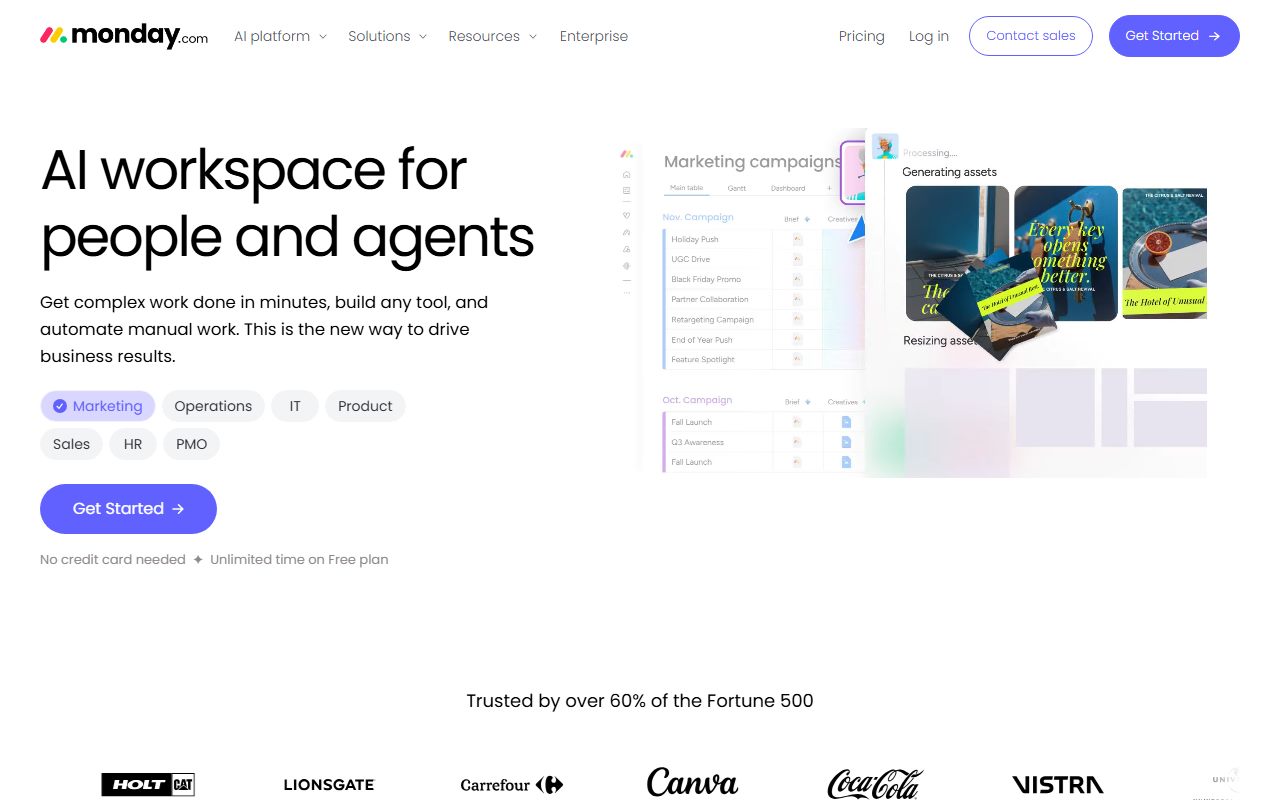
monday.com finishes second with a 32 and wins the ease round at 9. The board is a table with typed columns, 200+ templates cover most starts, and the pricing page prints 10-seat totals next to each plan: Basic $90, Standard $120, Pro $190 per month billed annually, per the page checked October 10, 2026.
Standard at $12 per seat is the plan to buy. It includes Timeline and Gantt, Calendar view, guest access, dashboards, 3 workflows and 250 automation actions plus 250 integration actions a month. Pro at $19 raises the caps to 25,000 each and adds time tracking and private boards.
G2 comparison pages rate it 4.7 out of 5 across more than 15,000 reviews with support at 8.9. Trustpilot's TrustScore is 2.1 from 3,441 reviews, driven by recent complaints about slow chat support and subscription friction.
Why it sits at number two: it loses value to ClickUp by one point because paid plans start at 3 seats, monthly prices are not printed, and Standard's 250-action cap pushes automating teams to Pro. It loses features by one because the free plan stops at 3 boards and storage is not published. It gains back on a 14-day Pro trial and a partial refund within 30 days.
Read the full monday.com Work Management review. Deciding between monday.com and Asana? Read Asana vs monday.com, which monday.com wins 32 to 31.
Best for two-person teams and for portfolios: Asana
Asana finishes third with a 31 and ties ClickUp for the features round at 9. Personal is free for 2 users with unlimited tasks and projects and 100 MB per file. Starter at $10.99 per user per month billed annually adds Timeline, Gantt, dashboards, unlimited automations, forms and unlimited free guests. Advanced at $24.99 adds portfolios, goals, resource management and proofing, per the pricing page checked October 10, 2026.
For 10 users Starter is $109.90 a month and Advanced $249.90, editorial calculations. Seats are sold in published increments: one at a time up to 5 users, then steps of 5 up to 30, 10 up to 100. A 12-person team buys 15 seats.
G2 comparison pages put ease of use at 8.6 and support at 8.5 out of 10 across roughly 11,000 reviews. Trustpilot's TrustScore is 1.4 from 320 reviews, with complaints centred on trial features locking and refused refunds; the pricing FAQ confirms there are no refunds.
Why it sits at number three: value scores 7 because every paid step costs more than the equivalent at ClickUp or monday.com and there is no refund window, and support scores 7 because the per-plan support split could not be read from the pricing page. It ranks above Trello on the features tiebreak, 9 to 6, and it is the outright pick for any two-person team.
Read the full Asana review for the seat-increment rule and the metered AI. The bout against monday.com is in Asana vs monday.com.
Best when a board is the whole job: Trello
Trello finishes fourth with a 31 and wins two rounds outright, ease at 9 and value at 9. Standard at $5 per user per month billed annually is the cheapest paid plan in the division, $50 a month for 10 users, and the free plan covers 10 collaborators and 10 boards per Workspace with unlimited cards and unlimited Power-Ups, per the pricing page in US dollars checked October 10, 2026.
Premium at $10 is where Calendar, Timeline, Table, Dashboard and Map views live, along with unlimited command runs and admin controls. Enterprise is priced on the page at $17.50 per user billed annually with 24/7 Enterprise Admin support and SSO through Atlassian Guard, a separate subscription from $4 per user.
G2 comparison pages rate Trello 4.4 out of 5 from 13,962 reviews with support at 8.5. Trustpilot's TrustScore is 2.2 from 226 reviews, with support reachability and data-for-AI-training concerns the repeated complaints.
Why it sits at number four: features score 6, the lowest round on the card, because every view beyond the board costs $10 per user, the free plan caps command runs at 250 a month and files at 10 MB, and no plan lists workload, goals or portfolios. At $10 per user, ClickUp Core at $8 includes more. Trello loses the tiebreak with Asana on that round.
Read the full Trello review for who counts as billable and the Premium trial whose length the page does not state.
The card by team size
One or two people. Asana Personal is free with unlimited projects; Trello Free covers you too with 10 boards; ClickUp Free Forever works if 60 MB of storage is enough. monday.com is the weak corner here: 3 boards free, and 3 seats minimum to pay.
Three to five people needing Gantt. ClickUp Core at $24 to $40 a month is the cheapest route; monday.com Standard at $36 to $60 is the easiest; Asana Starter at $32.97 to $54.95 sits between them; Trello Premium at $30 to $50 gives a Timeline but not dependencies. All editorial calculations from per-seat prices read October 10, 2026.
Ten people. ClickUp Core $80, Trello Premium $100, Asana Starter $109.90, monday.com Standard $120 per month billed annually. On the next tier: ClickUp Business $170, monday.com Pro $190, Asana Advanced $249.90, Trello Enterprise $175.
Twenty to forty people. The caps start to matter more than the seat price. monday.com Standard's 250 automation actions a month will not survive; budget for Pro. Asana's seat increments of 5 and 10 round your bill up. ClickUp's 100 API calls a minute below Enterprise constrains integrations. Trello Premium's unlimited command runs are a quiet advantage.
Above forty, monday.com requires a quote, and the enterprise tiers of all four fighters become the real comparison, which this card does not score.
Also compared: why there are only four fighters on this card
This card scores the four tools with the largest verified review volumes in the category on G2, each above 11,000 reviews as of October 10, 2026, whose pricing pages could be read in full on that day. Tools whose pricing pages or plan limits could not be read were left off rather than scored on third-party summaries.
monday.com's separate CRM, dev and service products are priced on the same page but are not project management tools for a general small team; they are not scored here. Teams whose work is a sales pipeline should read the CRM fight card and the Pipedrive review instead.
How to choose project management software for a small team
Start with the view your team will actually open every day. If it is a board of columns, Trello or monday.com. If it is a list with dates and dependencies, Asana or ClickUp. Buying for the view you aspire to is how teams end up paying for Gantt nobody updates.
Count your automations before you count your seats. monday.com Standard allows 250 actions a month; ClickUp Core allows 1,000; Asana Starter is unlimited; Trello Free is 250 command runs. A rule that fires on every status change on a 30-item board can exhaust 250 in a week.
Price the next tier, not just this one. A team that buys the entry plan usually needs the next within a year. ClickUp Business $170, monday.com Pro $190, Asana Advanced $249.90 for 10 seats is the comparison that matters.
Read the refund and trial lines. ClickUp lists a 30-day full refund, monday.com a partial refund within 30 days on annual plans, Asana none, Trello does not address it. Only monday.com states a trial length, 14 days of Pro.
Check who is billable. Asana sells seats in increments. monday.com requires 3. Trello bills multi-board guests at the member rate. ClickUp bills per workspace and bundles guest seats. The same 12 people can cost four different numbers of seats.
Frequently asked
What is the cheapest project management software for a small team? Trello Standard at $5 per user per month billed annually, per the pricing page checked October 10, 2026, followed by ClickUp Core at $8. For a free plan that covers a whole small team, Trello allows 10 collaborators and ClickUp allows unlimited members.
Which project management tool is easiest to learn? monday.com and Trello both score 9 on our ease round. monday.com's typed-column board and printed 10-seat totals make it the easiest to adopt and to budget; Trello's list-and-card board is the simplest interface, with the trade-off that most features beyond it sit on Premium.
Is ClickUp better than monday.com? On our card ClickUp wins 33 to 32 by taking value 9 to 8 and features 9 to 8, while monday.com takes ease 9 to 7. ClickUp is the better buy for a team that will invest in setup and wants the lowest price with the most included; monday.com is the better buy for a team that wants to be working in an hour.
Do any of these have a free plan for 5 people? ClickUp Free Forever allows unlimited members with 60 MB of storage, and Trello Free allows 10 collaborators with 10 boards. Asana Personal and monday.com Free both stop at 2 users, per the four pricing pages read October 10, 2026.
Bottom line
ClickUp takes the card with a 33 on the strength of Core at $8 and a free plan with no member cap, and it asks for a week of setup in return. monday.com is one point behind and the easier buy for most teams of 3 to 40. Asana is the two-person pick and the portfolio pick. Trello is the board pick and the budget pick.
Every figure on this card comes from the four vendors' pricing pages, help centres, Trustpilot and G2 comparison pages read on October 10, 2026. Prices and caps change; check the pricing page before you sign, and read the full scorecards linked above before you choose a corner.
Best for the most tool per dollar: ClickUp
ClickUp takes the card with a 33: ease 7, features 9, value 9, support 8. Core at $8 per user per month billed annually includes unlimited storage, Gantt, custom fields, 1,000 automation actions a month and live chat support, and Free Forever allows unlimited members. 24/7 support is listed on every plan and the FAQ promises a 30-day full refund. It loses the ease round to everyone: reviewers describe a steep setup and a heavy interface, and on October 10, 2026 the pricing page showed two plan ladders at once. For a team willing to invest a week in configuration it is the most capability per seat in the division.
Wins value outright, ties features at 9, never scores below 7; its weak round is a one-time cost.
Visit ClickUp
We have no affiliate relationship with this vendor. Link goes to the official site.
Best for teams of 3 to 40 that adopt tools visually: monday.com Work Management
monday.com Work Management finishes second with a 32: ease 9, features 8, value 8, support 7. Standard at $12 per seat per month billed annually includes Timeline and Gantt, Calendar, guest access and dashboards, and the pricing page prints the 10-seat total of $120 next to the plan. Pro at $19 lifts automation caps from 250 to 25,000 actions a month. It is the easiest fighter here to adopt, with a 14-day Pro trial and a partial refund window. The costs are a 3-seat minimum, unpublished monthly prices and a free plan that stops at 3 boards.
Wins the ease round outright; one point behind ClickUp on value because of the seat minimum and action caps.
Visit monday.com Work Management
We have no affiliate relationship with this vendor. Link goes to the official site.
Best for two-person teams and for portfolios and goals: Asana
Asana finishes third with a 31: ease 8, features 9, value 7, support 7. Personal is free for 2 users with unlimited projects, the strongest two-person free plan on the card. Starter at $10.99 per user per month billed annually includes Timeline, Gantt, dashboards and unlimited automations; Advanced at $24.99 adds portfolios, goals, resource management and proofing, layers rivals reserve for enterprise plans. It costs more than ClickUp or monday.com at every paid step, sells seats in increments that round a bill up, offers no refunds, and does not publish which plan gets direct support.
Ties for the top features round but scores 7 on value and support; ranks above Trello on the features tiebreak.
Visit Asana
We have no affiliate relationship with this vendor. Link goes to the official site.
Best when a board is the whole job: Trello
Trello finishes fourth with a 31: ease 9, features 6, value 9, support 7. Standard at $5 per user per month billed annually is the cheapest paid plan in the division, and the free plan covers 10 collaborators and 10 boards per Workspace with unlimited cards and Power-Ups. Premium at $10 is where Calendar, Timeline, Table and Dashboard views live, and at that price ClickUp Core includes more. Nothing on the pricing page lists workload, goals or portfolios, the free plan caps command runs at 250 a month, and the Premium trial length is not stated. For a team whose process is one board it is the simplest and cheapest choice here.
Wins ease and value outright but scores 6 on features, the lowest round on the card, and loses the tiebreak with Asana.
Visit Trello
We have no affiliate relationship with this vendor. Link goes to the official site.
How we chose
We did not run paid trials or staged demos; grades come from documentation, pricing pages and verified user reports checked on October 10, 2026. Each fighter is scored on four fixed rounds. Ease: how fast a team of non-specialists is productive, from the interface model, the free path, the clarity of the pricing page and verified ease-of-use ratings. Features: what the vendor documents per plan, weighted toward what the plan a small team actually buys includes, with published caps counted over marketing claims. Value: total cost for a realistic 10-seat team on the plan it would buy and on the next tier up, with seat minimums, refunds and trials counted. Support: the channels and hours published per plan, and verified support ratings on G2 and Trustpilot. Each round is scored out of 10 and the total decides the ranking; ties are broken by the features round, because features are the hardest thing to add later. Prices are quoted billed annually, before tax, as printed on October 10, 2026; three of the four pages use a dollar sign without naming a currency, and Trello states US dollars.
Frequently asked
What is the cheapest project management software for a small team?
Trello Standard at $5 per user per month billed annually, per the pricing page checked October 10, 2026, followed by ClickUp Core at $8. For a free plan that covers a whole small team, Trello allows 10 collaborators and 10 boards and ClickUp allows unlimited members with 60 MB of storage.
Which project management tool is easiest to learn?
monday.com Work Management and Trello both score 9 on our ease round. monday.com's typed-column board and printed 10-seat totals make it the easiest to adopt and budget. Trello's list-and-card board is the simplest interface, with the trade-off that views beyond the board start at Premium, $10 per user.
Is ClickUp better than monday.com for a small team?
On our card ClickUp wins 33 to 32, taking value 9 to 8 and features 9 to 8 while monday.com takes ease 9 to 7. ClickUp is the better buy for a team that will invest in setup and wants the lowest price with the most included; monday.com is the better buy for a team that wants to be working within an hour.
Do any of these tools have a free plan for 5 people?
Two do. ClickUp Free Forever allows unlimited members with 60 MB of storage and 100 automation actions a month. Trello Free allows 10 collaborators and 10 boards per Workspace. Asana Personal and monday.com Free both stop at 2 users, per the four pricing pages read October 10, 2026.
How much does project management software cost for 10 people?
Billed annually on the plan most small teams need: ClickUp Core $80 a month, Trello Premium $100, Asana Starter $109.90, monday.com Standard $120. On the next tier: ClickUp Business $170, Trello Enterprise $175, monday.com Pro $190, Asana Advanced $249.90. Editorial calculations from per-seat prices read October 10, 2026.
Update history
- October 10, 2026 - First card. Four fighters scored from pricing pages read October 10, 2026; Capterra and G2 product pages returned 403, so user ratings come from Trustpilot and G2 comparison pages.