 Saas
Saas
Asana
A work management platform with the deepest free tier for two people and the clearest upgrade ladder, priced above its rivals at every paid step
Scored on the published rubric, from documentation, pricing and verified user reports.
Best for: Teams of 5 to 50 that run many parallel projects, want portfolios, goals and workload views in one tool, and will pay a premium per seat for structure that scales.
Verdict
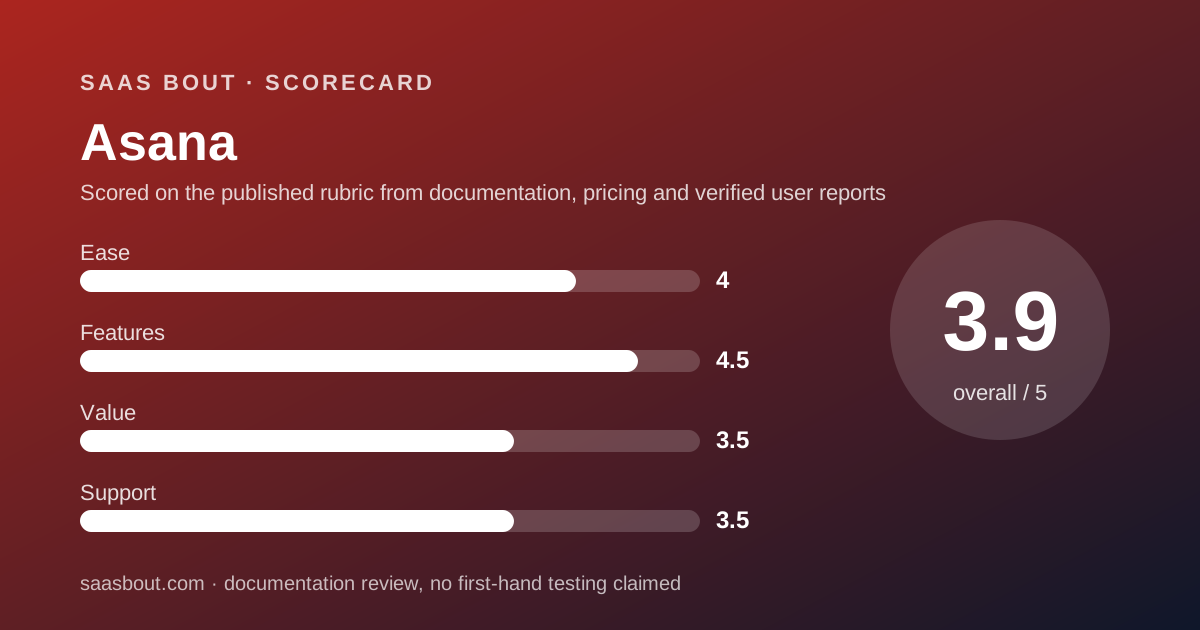
Asana is the structured contender of the project management division and finishes third on our four-round card with a 31: ease 8, features 9, value 7, support 7. This is a documentation review: every figure comes from Asana's pricing page and help center plus verified user reports on Trustpilot and G2, all read on October 10, 2026, not from paid trials or staged demos. Features score 9 because the ladder is coherent. Personal is free for 2 users with unlimited tasks and projects. Starter at $10.99 per user per month billed annually adds Timeline, Gantt, dashboards, unlimited automations, forms and custom fields. Advanced at $24.99 adds portfolios, goals, resource management and proofing. Value scores 7 because Starter costs more than the equivalent plan at monday.com, ClickUp or Trello, and because there are no refunds. Support scores 7: the pricing page lists a forum, Help Center, direct support and Customer Success, but does not say which plan gets which, and Trustpilot complaints centre on chatbot loops. Buy it if structure across many projects is the job. Skip it if the budget is the first filter.
Visit Asana
We have no affiliate relationship with this vendor. Link goes to the official site.
Where it is strong
- Personal plan is free for 2 users with unlimited tasks, projects and storage at 100 MB per file, per the pricing page
- Starter at $10.99 per user per month billed annually includes Timeline and Gantt, dashboards, unlimited automations, forms and unlimited free guests
- Advanced adds portfolios, goals, resource management, approvals and proofing, plus Salesforce, Tableau and Power BI connections
- Seat increments are published: one at a time up to 5 users, steps of 5 up to 30, steps of 10 up to 100
- 100+ integrations listed on every plan including the free one, with Jira Cloud two-way sync on higher tiers
- Enterprise and Enterprise+ publish the controls a security team asks for: SAML, SCIM, audit logs, data residency
Where it falls short
- Starter is the most expensive entry plan in this division at $10.99 per user per month billed annually
- No refunds, per the pricing FAQ; cancelling keeps access only until the end of the paid period
- The pricing page does not state a trial length for Starter or Advanced
- Support channels per plan are not spelled out on the pricing page; Trustpilot reviews describe chatbot loops and slow replies
- AI usage is metered at 5 requests per user per month on paid plans, with extra packs at $0.50 per request
What Asana actually is
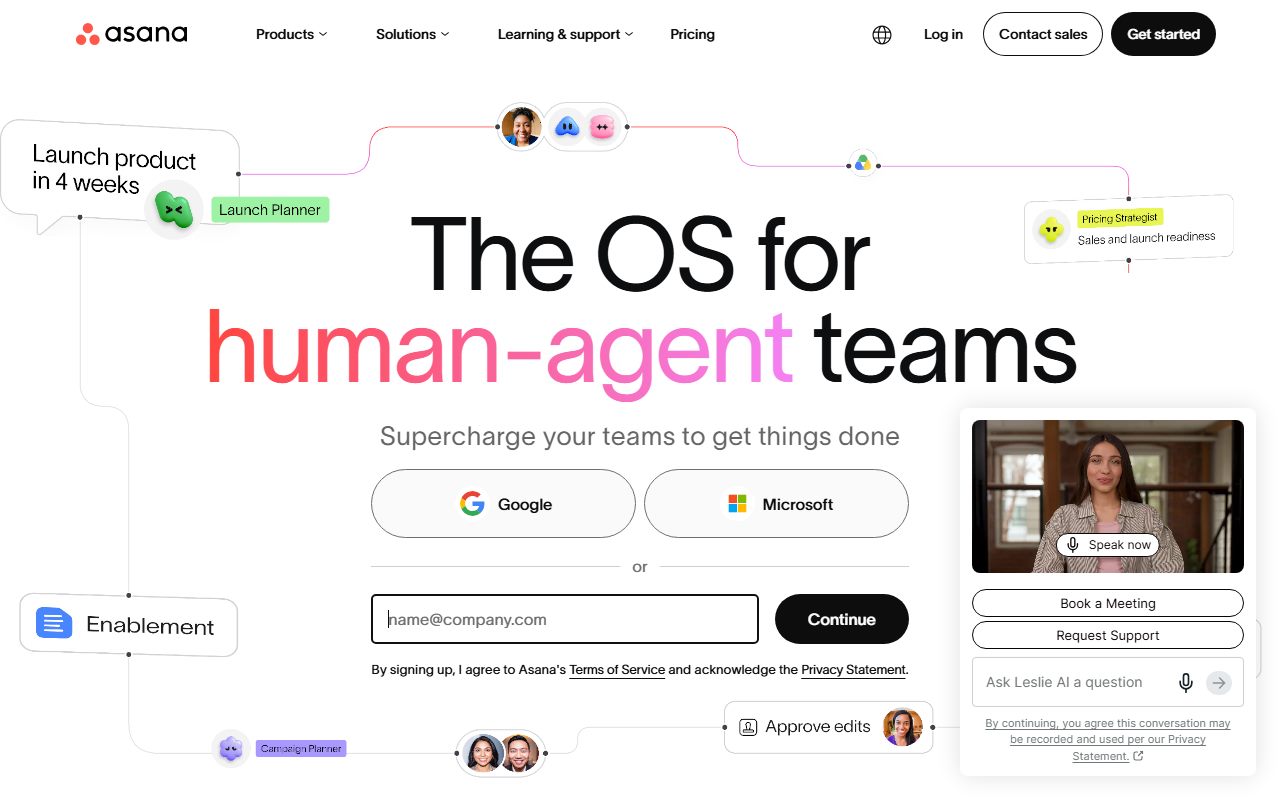
Asana is a work management platform built around one object, the task, and the many ways to view a pile of tasks: list, board, calendar, timeline, Gantt, workload and portfolio.
That structure is the product. A project is a container of tasks, a portfolio is a container of projects, a goal is a target that projects roll up to. Each layer is unlocked by a higher plan.
It is not a chat tool, a document editor or a CRM. Teams that need a sales pipeline should look at the CRM division instead; Asana integrates with those tools rather than replacing them.
In this division Asana fights monday.com Work Management, ClickUp and Trello. The bout that decides most purchases is Asana vs monday.com.
Who Asana is best for
Asana suits teams that outgrow a single board and need the layers above it.
- Marketing and operations teams running 10 or more projects in parallel who need portfolio and workload views
- Two-person teams, because the Personal plan is free with unlimited projects
- Managers who report upward and want dashboards and goals tied to project status
- Companies already on Salesforce, Tableau or Power BI, which Advanced connects to
- Agencies that invite clients as guests, since Starter includes unlimited free guests
- Security-reviewed purchases, because Enterprise publishes SAML, SCIM and audit log controls
Who should skip it
Three profiles pay for structure they will not use.
- Teams of 3 to 10 that need one board and a timeline, who can get that for less at monday.com or ClickUp
- Buyers who want a refund window, because the pricing FAQ lists no refunds
- Teams of 3 to 10 that want a free plan, since Personal stops at 2 users
What the free plan includes and what each plan adds (as of October 2026)
Personal is free for 2 users and is more generous than its seat cap suggests. It lists unlimited tasks and projects, unlimited storage with a 100 MB per-file cap, list, board and calendar views, status updates and 100+ integrations, per the pricing page checked October 10, 2026.
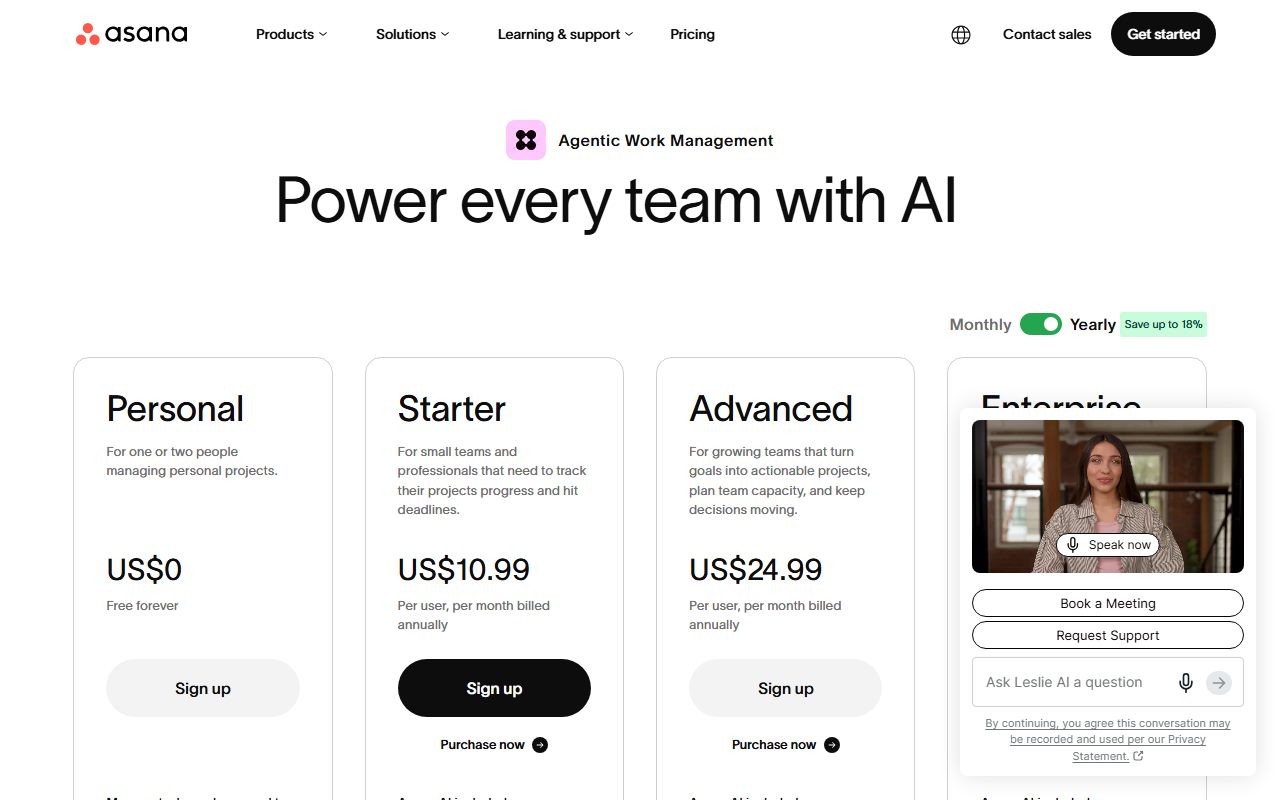
Starter at $10.99 per user per month billed annually, or $13.49 monthly, lifts the seat cap and adds the planning layer: Timeline and Gantt, reporting dashboards, unlimited automations, forms, custom templates, custom fields and unlimited free guests.
Advanced at $24.99 billed annually, or $30.49 monthly, adds the management layer: unlimited portfolios, goals, resource management, approvals and proofing, forms branching, time tracking, scaled security and Salesforce, Tableau and Power BI support.
Enterprise is custom priced and adds SAML, SCIM provisioning, universal resource management, capacity planning, service accounts, view-only licences and project admin controls. Enterprise+ adds SIEM integration, data residency, audit logs and dedicated workspaces.
AI is metered on every paid plan: 5 requests per user per month, capped at 50 per account on Starter and Advanced and 250 on Enterprise, plus AI Studio credits of 50K, 75K and 200K per billing account per month respectively.
How the pricing is structured
Per user, per month, with annual billing listed as saving up to 18 percent. Starter is $10.99 annual against $13.49 monthly; Advanced is $24.99 against $30.49. The page uses a dollar sign without naming a currency; a reader outside the United States should expect a local price.
Seats are sold in increments the FAQ publishes. Teams of 2 to 5 add one seat at a time; up to 30 users the step is 5; up to 100 it is 10; up to 500 it is 25; above that 50. A 12-person team therefore buys 15 seats.
For a team of exactly 10, Starter costs $109.90 per month billed annually and Advanced $249.90, an editorial calculation from the per-user prices. The same team on monthly billing pays $134.90 or $304.90.
Extras sit outside the seat price. AI usage packs are $0.50 per request billed upfront, pay-as-you-go is $0.60 per request, and an on-demand option is listed at $5.99 per user per month billed annually. Timesheets and Budgets is a paid add-on with no price shown.
The FAQ states there are no refunds. Sales tax is applied by billing address, and VAT or GST may apply. Eligible nonprofits get a discount on annual Starter or Advanced, size not published.
Ease of use: what the 8 is built from
Asana scores 8 on ease because the first project is fast and the hundredth is not. The free plan needs no card, the three starter views are the ones most people already know, and the pricing ladder maps cleanly onto team maturity.
The point comes off for density. G2 comparison pages read on October 10, 2026 put Asana's ease-of-use score at 8.6 out of 10 across roughly 11,200 reviews, with the recurring note that the feature set can overwhelm new users.
The seat increment rule also costs a moment of confusion at checkout: a team of 12 pays for 15. That is published, so it is not a hidden fee, but it is a step rivals such as Trello do not impose.
Features: what the 9 is built from
Features score 9, the joint top of the division with ClickUp. The reason is the coherence of the ladder rather than the length of the list.
Starter already carries the planning tools that monday.com reserves for Standard and that Trello reserves for Premium: Timeline, Gantt, dashboards and unlimited automations. Advanced then adds what most rivals sell only at enterprise level, portfolios, goals, workload and proofing.
The point comes off for metered AI. Five requests per user per month is low enough that a team leaning on AI summaries will buy packs at $0.50 per request, and the pricing page does not say what one request covers.
Integrations are strong on paper: 100+ on every plan including free, with Salesforce, Tableau and Power BI on Advanced and Jira Cloud two-way sync listed in the comparison table.
Value: what the 7 is built from
Value scores 7, the lowest round on Asana's card, because every paid step costs more than the equivalent step elsewhere in the division.
At 10 seats billed annually, Starter costs $109.90 per month. The same team pays $120 on monday.com Standard, which also includes Gantt, or $80 on ClickUp Core, or $100 on Trello Premium, per the four pricing pages read on October 10, 2026. Asana wins only against monday.com, and only by $10.
At the management tier the gap widens. Advanced at $249.90 for 10 seats compares with monday.com Pro at $190 and ClickUp Business at $170.
The free plan pulls the score back up. For a team of 2 it is the strongest free tier here, with unlimited projects and no board cap. No refunds and the seat increment rule pull it down again. Read the full money comparison in Asana vs monday.com.
Support: what the 7 is built from
Support scores 7 because the resources exist but the plan split does not. The pricing page's customer support section lists the Asana Forum, Academy, webinars, Help Center, Developer Guide, direct Asana Support and Customer Success options with the note that eligibility requirements apply.
Which plan gets direct support, and in what hours, could not be read from the comparison table on October 10, 2026, and the Help Center landing page makes no hours or response-time claims. Asana publishes less here than ClickUp, which lists 24/7 support on every plan including free.
Verified reports are mixed. G2 comparison pages show a quality-of-support score of 8.5 out of 10 across about 7,600 reviews. Trustpilot shows a TrustScore of 1.4 out of 5 from 320 reviews, with complaints about chatbot loops and slow replies. Trustpilot volumes are small and skew to the unhappy, so we weight G2 more, but the gap is wide enough to cost a point.
What verified users report
On G2, read via its comparison pages on October 10, 2026, Asana sits near 8.7 out of 10 for meeting requirements across about 11,000 reviews, with onboarding and interface clarity the most repeated strengths and feature density the most repeated weakness.
On Trustpilot the picture is darker: 320 reviews, 58 percent of them one star, a TrustScore of 1.4. The three complaints that recur are trial features being added to projects without clear notice and then locking, difficult cancellations with refused refunds, and support that routes through a chatbot.
The praise on both sites is the same: the product works well for tracking projects and task lists across teams. The complaints are about billing and support, not about the software doing its job.
Limits stated by the vendor
Published on the pricing page as of October 10, 2026.
- Personal plan: 2 users
- File size: 100 MB per file on Personal; storage otherwise unlimited
- AI requests: 5 per user per month, capped at 50 per account on Starter and Advanced, 250 on Enterprise
- AI Studio credits: 50K per billing account per month on Starter, 75K on Advanced, 200K on Enterprise
- Seat increments: 1 up to 5 users, 5 up to 30, 10 up to 100, 25 up to 500, 50 above
- Refunds: none
- Trial length for paid plans: not stated
Alternatives
monday.com Work Management. Choose it if your team wants a visual board it can shape without an admin and is 3 or more people, since monday.com's paid plans start at 3 seats. Standard at $12 per seat includes Gantt and guest access. Otherwise choose Asana if portfolios and goals matter more than board flexibility. Scorecard in our monday.com review and the bout in Asana vs monday.com.
ClickUp. Choose it if price per seat decides and your team will tolerate a denser interface: Core is $8 per user per month billed annually with unlimited storage, and the free plan allows unlimited members. Otherwise choose Asana for a cleaner ladder. Full card in our ClickUp review.
Trello. Choose it if a kanban board is the whole requirement and the team is 10 or fewer, since the free plan allows 10 collaborators and 10 boards. Otherwise choose Asana when you need timelines and dependencies in the base paid plan. See our Trello review.
All four are ranked in the best project management software for small teams fight card.
Bottom line
Asana finishes third on the card with a 31, and the shape of that score is the whole review: a 9 on features, a 7 on value, a 7 on support. It is the most structured tool in the division and the most expensive at every paid step.
Buy it for a team that already runs many projects and needs portfolios, goals and workload in one place. Buy the free Personal plan for any two-person team. Look at monday.com or ClickUp first if the budget is the first filter.
Every figure above comes from Asana's pricing page, help center, Trustpilot and G2 comparison pages read on October 10, 2026. Prices change; check the pricing page before you sign.
Visit Asana
We have no affiliate relationship with this vendor. Link goes to the official site.