 Saas

Cal.com
The most generous free tier in this division and a team plan a third cheaper than the market leader, sold on a page that never prints a monthly rate
Scored on the published rubric, from documentation, pricing and verified user reports.
Best for: Solo professionals who want unlimited booking links for nothing, and engineering-minded teams that will trade a published support promise for a cheaper seat and a self-hosting route.
Verdict
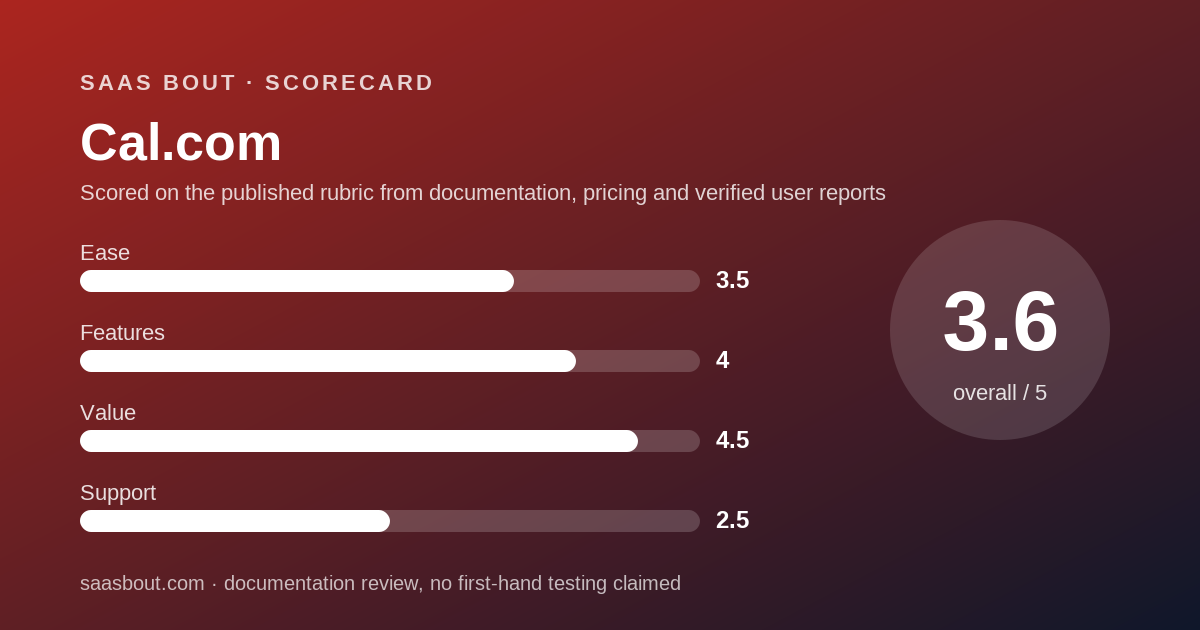
Cal.com scores 29 on our four-round card: ease 7, features 8, value 9, support 5. It takes third place in the meeting scheduling division behind Calendly on 31 and SavvyCal on 30, and it loses that placing on one round rather than on the product. This is a documentation review. Every figure comes from the Cal.com pricing page rendered in a headless browser, the plan cards and feature lists on that page, and the self-hosting links published on the Cal.com homepage, all read on October 28, 2026. No trial accounts and no staged demos. Value scores 9, the highest round on any card in this division, because the free plan carries unlimited event types and unlimited calendars for one user and the team tier is a third below the market leader. Features scores 8 on round robin, collective and managed event types, routing forms, booking analytics and custom APIs. Ease scores 7 for four clean cards spoiled by one omission. Support scores 5, the lowest round on this card, because nothing on the pricing page promises a channel, a response time or an uptime figure below the Enterprise tier.
Visit Cal.com
We have no affiliate relationship with this vendor. Link goes to the official site.
Where it is strong
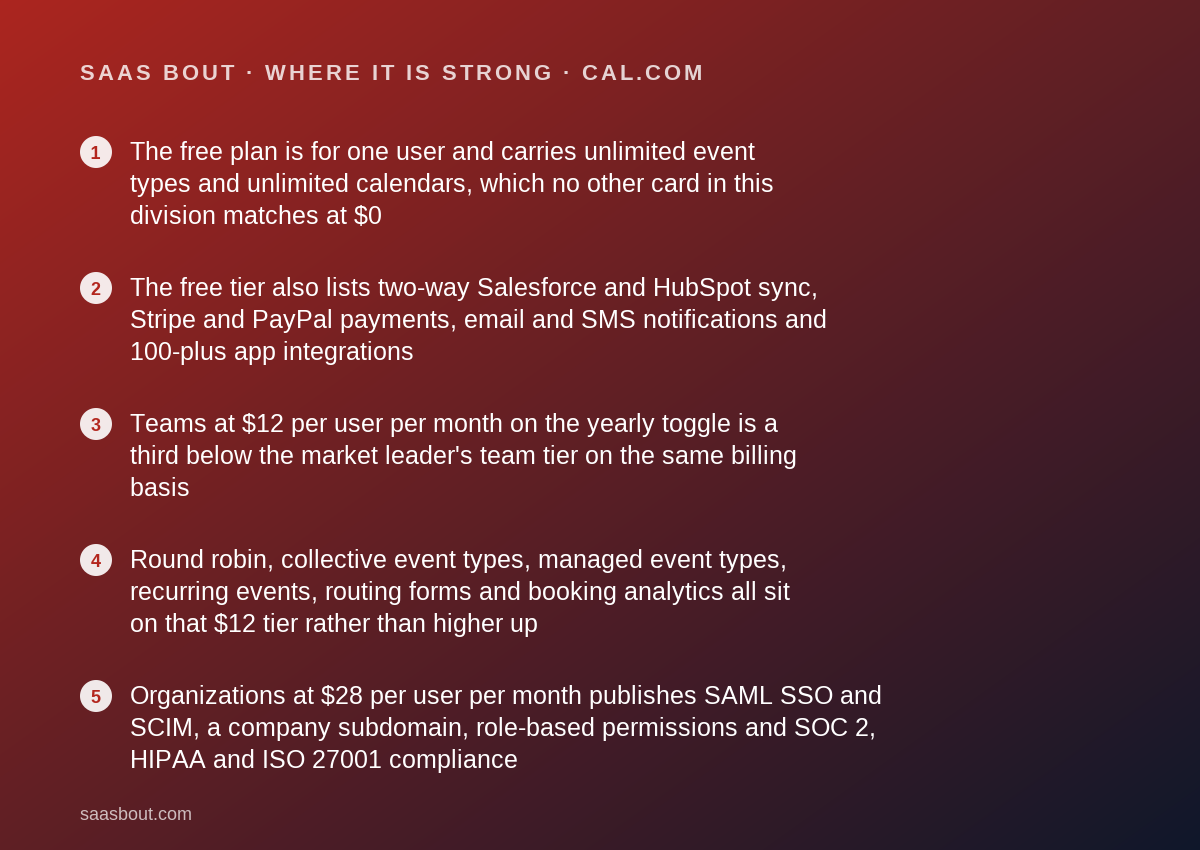
- The free plan is for one user and carries unlimited event types and unlimited calendars, which no other card in this division matches at $0
- The free tier also lists two-way Salesforce and HubSpot sync, Stripe and PayPal payments, email and SMS notifications and 100-plus app integrations
- Teams at $12 per user per month on the yearly toggle is a third below the market leader's team tier on the same billing basis
- Round robin, collective event types, managed event types, recurring events, routing forms and booking analytics all sit on that $12 tier rather than higher up
- Organizations at $28 per user per month publishes SAML SSO and SCIM, a company subdomain, role-based permissions and SOC 2, HIPAA and ISO 27001 compliance
- Both paid tiers carry a 14-day free trial, marked with an asterisk directly on the plan card
- A self-hosting route is published rather than implied: the homepage links to the public repository on GitHub and to Docker self-hosting documentation
- A one-click import of Calendly events is listed on the free plan, which lowers the cost of leaving the incumbent
Where it falls short
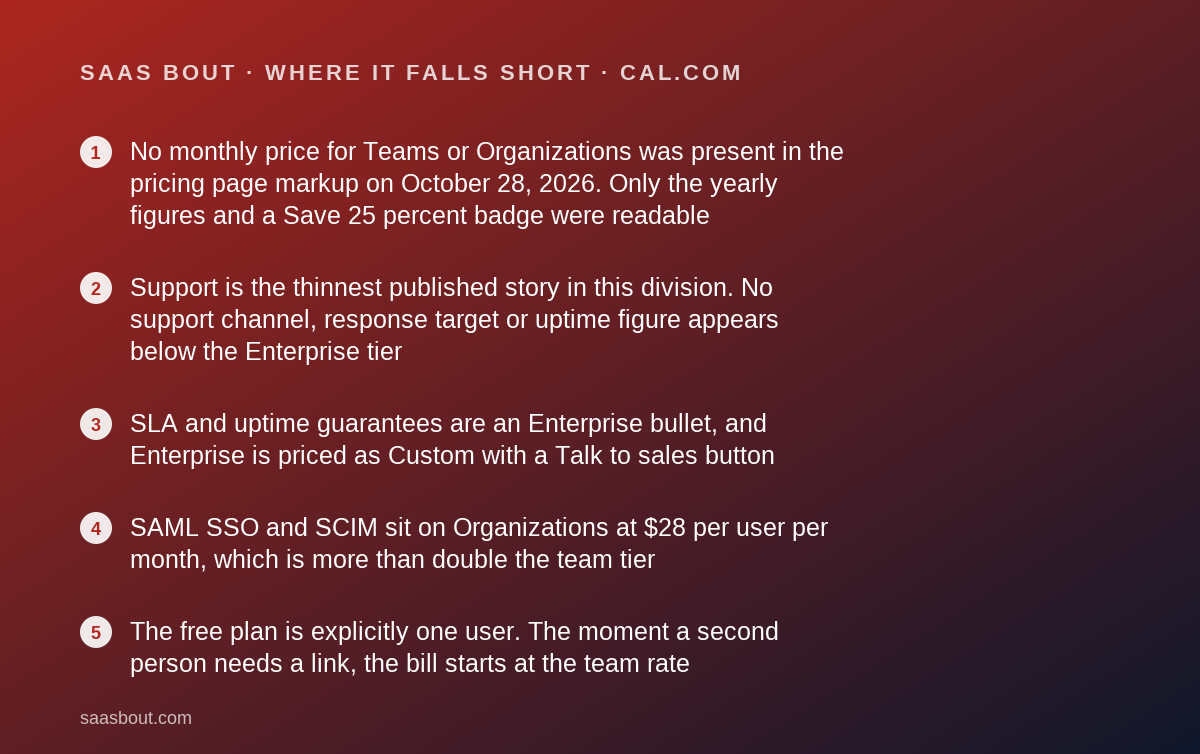
- No monthly price for Teams or Organizations was present in the pricing page markup on October 28, 2026. Only the yearly figures and a Save 25 percent badge were readable
- Support is the thinnest published story in this division. No support channel, response target or uptime figure appears below the Enterprise tier
- SLA and uptime guarantees are an Enterprise bullet, and Enterprise is priced as Custom with a Talk to sales button
- SAML SSO and SCIM sit on Organizations at $28 per user per month, which is more than double the team tier
- The free plan is explicitly one user. The moment a second person needs a link, the bill starts at the team rate
- No seat minimum is printed on any plan card, so the smallest payable team size has to be confirmed at checkout
- The page gives no numeric limits at all: no cap on bookings, workflows, routing forms or API calls is stated anywhere on it
- The Save 25 percent badge has no monthly figure to be measured against on the page, so the discount cannot be verified from the page alone
At a glance
| Free plan | Yes. Individuals, free forever, 1 user, unlimited event types and calendars |
|---|---|
| Entry paid price | Teams $12 per user per month, shown on the yearly toggle |
| Pricing note | Free forever for one user, then Teams at $12 per user per month and Organizations at $28, both shown on the yearly toggle (pricing page, checked October 28, 2026) |
| Upper tier | Organizations $28 per user per month, shown on the yearly toggle |
| Top plan | Enterprise, Custom, annual pricing, contact sales |
| Monthly rate | Not present in the pricing page markup read October 28, 2026 |
| Trial | 14 days on Teams and Organizations |
| Round robin | Teams and above |
| Single sign-on | SAML SSO and SCIM on Organizations and above |
| Compliance claims | SOC 2, HIPAA and ISO 27001 listed on Organizations |
| Self-hosting | Published. Homepage links to the GitHub repository and to Docker self-hosting docs |
| Seat minimum | Not printed on any plan card |
| Support commitment | No channel or response target published below Enterprise |
What Cal.com actually is
Cal.com is a scheduling layer that sells itself on what it gives away. The free tier is the product argument, and everything above it is priced against that.
The mechanics are the familiar ones. You publish availability, an invitee books, the event syncs to a calendar, and reminders go out by email or SMS.
What is unusual is where the line sits. Unlimited event types and unlimited calendar connections are free-plan bullets, not upgrade bait.
The second unusual thing is the shape of the company. The homepage links out to a public repository and to Docker self-hosting documentation, so running your own instance is a published path rather than a rumour.
The third is the tone of the pricing page. It is written for a buyer who is comparing against a specific incumbent, down to a one-click Calendly import on the free plan.
Who Cal.com is best for
The fit splits cleanly in two: people who will never pay anything, and teams that care more about the seat rate than about a written support promise.
- Solo consultants, coaches and freelancers who need several different booking links and will pay nothing for them
- Small teams of five to twenty who want round robin and collective events at the lowest published seat rate on this card
- Technical teams that want the option of self-hosting rather than being locked to one vendor's cloud
- Anyone migrating off Calendly, since a one-click import of Calendly events is a free-plan bullet
- Teams already running Salesforce or HubSpot, because two-way sync with both is listed even on the free plan
- Developers embedding scheduling, given custom APIs on Teams and additional APIs on Organizations
Who should skip it
Three buyers will hit a wall that the pricing page makes visible before any trial starts.
- Procurement teams that require a written response target or uptime figure, because neither exists below Enterprise
- Finance teams that budget monthly, since no monthly rate was readable on the page on October 28, 2026
- Organisations that need SAML on day one, as single sign-on starts at $28 per user per month
What each plan includes (as of October 2026)
Individuals is free forever for one user. The card lists unlimited event types and calendars, email and SMS notifications, 100-plus app integrations, the mobile app, the browser extension, Stripe and PayPal payments, two-way Salesforce and HubSpot sync and a one-click Calendly import.
Teams is $12 per user per month on the yearly toggle. It adds one team with shared availability, round-robin scheduling, managed and collective event types, recurring events, customisable email and SMS notifications, removal of Cal.com branding, routing forms, booking analytics and custom APIs.
Organizations is $28 per user per month on the same toggle. It adds unlimited sub-teams, routing by custom variables, a company subdomain, SAML SSO and SCIM, SOC 2, HIPAA and ISO 27001 compliance, instant meetings, domain-wide delegation, role-based permissions and additional APIs.
Enterprise is priced as Custom with an annual pricing note. It adds dedicated onboarding and engineering support, SLA and uptime guarantees, HRIS and directory integrations, priority Slack and account support and a dedicated database.
Both middle tiers carry a 14-day free trial note on the card itself.
The page prints a discount but not the price it discounts
This is the single clearest gap on the card, and it is worth setting out precisely rather than glossing over it.
The plan cards for Teams and Organizations each show a toggle reading YEARLY, a rate of $12 or $28 per user per month, and a badge reading Save 25 percent.
What the page does not show is the monthly rate that the 25 percent is measured against. Only the two yearly figures were present in the page markup read in a headless browser on October 28, 2026.
A 25 percent saving would imply $16 and roughly $37 per user per month, by our arithmetic. That is an inference from a rounded badge, not a published price, and it should be confirmed at checkout.
The practical effect is small for an annual buyer and large for a monthly one. If cash flow requires monthly billing, the number you will actually be charged is not on this page.
Round 1, ease: what the 7 is built from
Seven is a solid mark for a page that is easy to read and incomplete in one specific way.
What earns it: four cards across one row, plain plan names, a single rate per card, a feature list under each that explicitly stacks on the one before, and a trial note printed on the card rather than buried in a footnote.
The stacking language is better than most. Teams reads Free plan features, plus. Organizations reads Teams plan features, plus. Enterprise reads Organizations plan features, plus. A reader never has to guess what carries forward.
What holds it back is the missing monthly rate, and a second omission alongside it. The page gives no numeric limits anywhere: no booking cap, no workflow cap, no routing-form cap, no API rate.
A pricing page with no numbers other than two seat rates is easy to read and hard to plan against. That is the trade-off this card makes.
Round 2, features: what the 8 is built from
Eight reflects a team tier that is unusually complete for its price, and a top tier that is defined by a sales conversation.
The $12 tier is where the mark is earned. Round robin, collective events, managed event types, recurring events, routing forms, booking analytics, branding removal and custom APIs is a long list for an entry team plan.
The $28 tier is a governance tier rather than a scheduling tier. Sub-teams, custom-variable routing, a company subdomain, SAML, SCIM, role-based permissions and domain-wide delegation are all identity and control features.
The compliance line is worth reading literally. SOC 2, HIPAA and ISO 27001 are listed as a bullet on the Organizations plan, which is a claim of scope rather than a certificate link on the page.
What is missing against the leader on this card is depth of CRM routing. Two-way Salesforce and HubSpot sync is free here, but assignment-based lead routing is not a published row.
Round 3, value: what the 9 is built from
Nine is the highest round we have awarded anywhere in this division, and two numbers carry it.
The first is zero. One user gets unlimited event types and unlimited calendar connections for nothing, plus payments, SMS notifications and CRM sync. The leader on this card allows one event type and one calendar at the same price.
The second is twelve. Teams at $12 per user per month on the yearly toggle is a third below the leader's $16 team tier on the same billing basis.
By our arithmetic from the published rate, ten users on Teams is $1,440 a year. The equivalent on the leader's team plan is $1,920. Neither total is printed by its vendor.
The mark is not a ten because the saving is partly funded by the support round. A cheaper seat with no published response target is a transfer of risk, not a free lunch.
Teams that judge scheduling the way they judge the rest of the stack will recognise the pattern from our best project management software for small teams card.
Round 4, support: what the 5 is built from
Five is the weakest round on this card, and it is a documentation judgement rather than an accusation.
Nothing on the pricing page names a support channel for Individuals, Teams or Organizations. There is no email address, no chat promise, no hours and no queue.
Everything that sounds like support is an Enterprise bullet: dedicated onboarding and engineering support, SLA and uptime guarantees, priority Slack and account support, and a dedicated database.
Enterprise is priced as Custom. So the only tier with a written support commitment is the only tier without a written price.
The counterweight is the self-hosting route. A team that can run its own instance is less exposed to a vendor queue, and the homepage links to both the repository and the Docker documentation.
That is a real answer for an engineering team and no answer at all for a finance or operations buyer signing a renewal.
Limits stated by the vendor
Published on the Cal.com pricing page and homepage as of October 28, 2026. The short list is itself a finding.
- Users: 1 on Individuals. No cap stated on Teams, Organizations or Enterprise
- Event types and calendars: unlimited from the free plan upward
- Teams: one team on Teams, unlimited sub-teams on Organizations
- Round robin, routing forms, booking analytics and custom APIs: Teams and above
- SAML SSO, SCIM, company subdomain and role-based permissions: Organizations and above
- SLA and uptime guarantees: Enterprise only
- Trial: 14 days on Teams and Organizations
- No booking cap, workflow cap, routing-form cap or API rate is printed on the pricing page
- No seat minimum is printed on any plan card
- No monthly rate for Teams or Organizations was in the page markup on October 28, 2026
Alternatives
The other two cards in this division answer the two questions Cal.com leaves open.
Calendly. Choose it if inbound leads must be routed by CRM assignment, or if 24/7 chat support has to be in writing. Otherwise choose Cal.com when the free tier and the seat rate decide it.
SavvyCal. Choose it if you want every figure on the page including both billing cycles, a money-back guarantee and unlimited calendar connections. Otherwise choose Cal.com when somebody on the team must stay free.
If the scheduler has to feed a pipeline, pick the pipeline first. Our CRM fight card for small sales teams scores that decision, and the Pipedrive and Zoho CRM cards cover the two cheapest seats on it.
The free-tier argument Cal.com makes is the same one that wins in other divisions. Trello and Clockify both hold position on this site for the same reason, and the Pipedrive vs Zoho CRM bout turns on a near-identical trade.
Bottom line
Cal.com takes 29 on this card and loses the division on the one round it chooses not to compete in.
If you work alone, stop reading and take the free plan. Unlimited booking links, unlimited calendars, payments and CRM sync for nothing is the best offer in this division by a distance.
If you are buying for a team, $12 per user per month on the yearly toggle buys round robin, routing forms and analytics for a third less than the leader.
Before signing, get two things in writing that the page does not give you. The monthly rate, if you are not paying yearly. And a support channel with hours, because none is published below Enterprise.
If your security review will ask for SAML, price Organizations at $28 rather than Teams at $12. That is the jump that decides whether this card stays cheap.
And if self-hosting is the reason you are here, read the Docker documentation before the pricing page. It is the only part of this offer no rival can match.
Buy it if
- One person needs many booking links for nothing, because unlimited event types and unlimited calendars are free-plan bullets here
- The team seat rate is the deciding number, since $12 per user per month on the yearly toggle undercuts the leader by a third
- You want the option to run it yourself, as the homepage publishes both a repository link and Docker self-hosting documentation
- You are leaving Calendly, given that a one-click import of Calendly events is listed on the free plan
Skip it if
- Procurement needs a written support promise, because no channel, response target or uptime figure is published below Enterprise
- You must budget monthly rather than yearly, since no monthly rate was readable on the pricing page on October 28, 2026
- Single sign-on is a day-one requirement, as SAML and SCIM start at $28 per user per month on Organizations
Frequently asked
Is Cal.com free?
Yes, for one user. The Individuals plan is marked free forever and lists unlimited event types and calendars, email and SMS notifications, 100-plus integrations, Stripe and PayPal payments and two-way Salesforce and HubSpot sync.
How much does Cal.com cost per user?
Teams is $12 per user per month and Organizations is $28 per user per month, both shown with the yearly toggle selected. No monthly rate for either plan was present in the page markup read on October 28, 2026.
How much does Cal.com cost for a 10-person team?
Teams at $12 per user per month works out to $1,440 a year for ten users, by our arithmetic from the published yearly rate. The page does not print that total and does not state a seat minimum.
Does Cal.com have round robin?
Yes, on Teams at $12 per user per month. The same tier lists shared availability for one team, collective and managed event types, recurring events, routing forms, booking analytics and custom APIs.
Can Cal.com be self-hosted?
The vendor publishes a route for it. The Cal.com homepage links directly to the project repository on GitHub and to Docker self-hosting documentation in its own docs, both read on October 28, 2026.
Does Cal.com have single sign-on?
SAML SSO and SCIM are listed on the Organizations plan at $28 per user per month, alongside a company subdomain, role-based permissions, domain-wide delegation and SOC 2, HIPAA and ISO 27001 compliance.
Is there a Cal.com free trial?
Yes. Both Teams and Organizations carry an asterisked note on the plan card reading 14 day free trial. The Enterprise card instead carries a note reading annual pricing and a Talk to sales button.
Why does Cal.com score low on support?
Because nothing is promised in writing below the top tier. Dedicated onboarding, SLA and uptime guarantees and priority Slack support are all Enterprise bullets, and Enterprise is priced as Custom.
Sources
- Cal.com pricing page: plan cards for Individuals, Teams, Organizations and Enterprise with their feature lists, yearly rates and trial notes (rendered in a headless browser) - checked October 28, 2026
- Cal.com homepage: published links to the project repository on GitHub and to the Docker self-hosting documentation - checked October 28, 2026
Update history
- October 28, 2026 - First scorecard. The $12 and $28 per user per month figures were read from the plan cards with the YEARLY toggle selected, in a headless browser render of the pricing page. No monthly figure for either plan was present anywhere in that markup, so the implied $16 and roughly $37 monthly rates are reported as editorial arithmetic from the rounded Save 25 percent badge and flagged as an inference, not a price. The $1,440 ten-user annual total is likewise editorial arithmetic from the published yearly rate. The self-hosting claim rests on two links published on the Cal.com homepage, to the project repository on GitHub and to the Docker self-hosting documentation; no licence claim is made here, because the repository page served to a headless browser on October 28, 2026 showed licence text belonging to a different Cal.com project. SOC 2, HIPAA and ISO 27001 are reported as plan bullets, not as verified certificates.
Visit Cal.com
We have no affiliate relationship with this vendor. Link goes to the official site.