 Saas

PandaDoc
The widest document toolkit in this division and the only free plan here that allows five real documents a month, sold alongside a usage-credit currency the page never prices
Scored on the published rubric, from documentation, pricing and verified user reports.
Best for: Sales teams whose document is a priced proposal rather than a plain contract, and who want 24 hour email and chat support on every plan including the free one.
Verdict
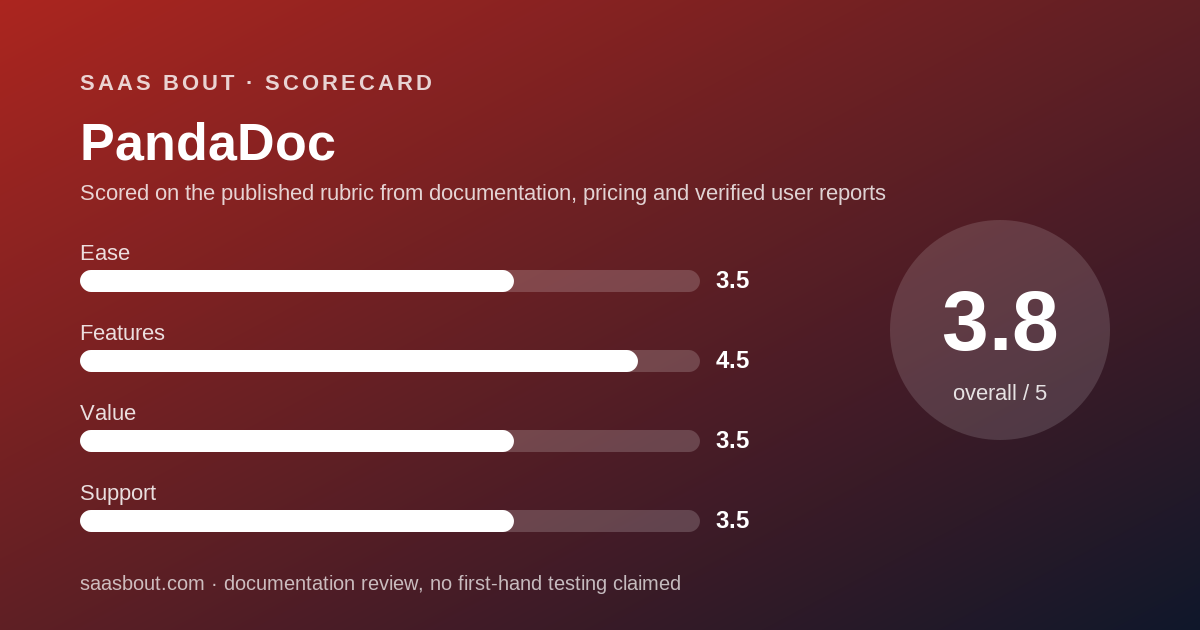
PandaDoc scores 30 on our four-round card: ease 7, features 9, value 7, support 7. It takes second place in the e-signature division behind Dropbox Sign on 31 and ahead of DocuSign on 28. This is a documentation review. Every figure comes from the PandaDoc pricing page rendered in a headless browser, its 80-row plan comparison table, the plan data embedded in the same page and the public Trustpilot profile, all read on October 24, 2026. No paid trials, no staged demos. Features scores 9 because this is the only fighter here that builds the document as well as signing it: pricing tables, a product catalogue, payment collection, deal rooms, approval workflows, AI search and AI data extraction. Support scores 7, the best mark in the division, because 24 hour web ticket, email and chat support is ticked on all four plans including Free. Ease scores 7 and that is the problem line: eleven rows of the comparison table read optional, requires Usage Credits, and the page never prints the price of a usage credit. Value scores 7. Buy it if you send priced proposals. Skip it if you want a flat bill you can predict.
Visit PandaDoc
We have no affiliate relationship with this vendor. Link goes to the official site.
Where it is strong
- The free plan is a real tier, not a trial: $0 for you and your team with 5 documents a month, the drag and drop editor, real-time tracking, unlimited storage, an audit trail and 24 hour email and chat support
- Starter at $19 a seat a month billed annually is the cheapest paid entry on this card and carries unlimited document uploads and e-signatures
- Business at $49 a seat a month billed annually turns the signing tool into a quoting tool: pricing tables, product catalogue, payment collection, deal rooms, approval workflows and CRM integrations
- 24 hour web ticket, email and chat support plus a 24 hour help centre are ticked on all four plans, which no rival on this card matches
- SOC 2 Type II, GDPR, eIDAS, the US ESIGN Act, a signature certificate and two-factor authentication are ticked on every plan including Free
- SMS verification and knowledge-based authentication with ID verification are marked included rather than metered on Business and Enterprise
- A per-document pricing package with unlimited seats is offered as an alternative to per-seat billing, which suits teams with many occasional senders
- AI search, AI data extraction, an AI assistant and an AI document digest appear on paid plans, and MCP connectors for ChatGPT and Claude are offered on all plans at no extra cost during the beta
Where it falls short
- Eleven rows of the comparison table read optional, requires Usage Credits, and the price of a usage credit appears nowhere on the page as read October 24, 2026
- The API is one of those rows on every paid plan, yet is ticked plainly on Free, where the plan card calls it limited API access. A buyer upgrading from Free can lose a predictable API for a metered one
- Bulk send, web forms, workflow automation and internal automations on Business and Enterprise all carry the same unpriced credit footnote
- HIPAA compliance is marked optional on Enterprise only and not included on Free, Starter or Business, so a regulated buyer cannot self-serve here at all
- Single sign-on is optional on Business and included only on Enterprise; data residency in the US or EU is Enterprise only
- Qualified electronic signatures and recipient verification are marked annual plan only, so a monthly subscriber loses two compliance features
- Templates are capped at 5 on both Free and Starter, which is the same cap on a $0 plan and a $19 a seat plan
- Annual totals are never printed. At $19 and $49 a seat a month the yearly cost is $228 and $588 a seat, which are editorial calculations, and the page adds that prices exclude applicable taxes
- The pricing page quotes Trustpilot at 4 out of 5 from 560 reviews as of 02/01/2025, while Trustpilot's own structured data showed 2.1 out of 5 from 691 reviews on October 24, 2026
- Salesforce integration is a paid add-on on Business and Enterprise with no published price, and the Enterprise plan has no published price at all
At a glance
| Free plan | Yes. $0, 5 documents a month shared across you and your team, limited API access, 24 hour email and chat support |
|---|---|
| Starting paid price | Starter $19/seat/mo billed annually; $35/seat/mo billed monthly |
| Pricing note | Free for 5 documents a month, then from $19 per seat per month billed annually, or $35 per seat per month billed monthly, with taxes excluded (pricing page, checked October 24, 2026) |
| Main team plan | Business $49/seat/mo billed annually; $65/seat/mo billed monthly |
| Top plan | Enterprise, quote only, offered as per-seat or per-document pricing |
| Annual cost per seat | $228 on Starter and $588 on Business, editorial calculations from the published monthly figures; the page prints no annual total |
| Documents | 5 a month on Free; unlimited on Starter, Business and Enterprise |
| Templates | Up to 5 on Free and Starter; unlimited on Business and Enterprise |
| API | Ticked on Free; marked optional, requires Usage Credits on Starter, Business and Enterprise. No credit price published |
| Compliance | SOC 2 Type II, GDPR, eIDAS and the US ESIGN Act on all plans. HIPAA optional on Enterprise only. Data residency in US or EU on Enterprise only |
| Single sign-on | Optional on Business; included on Enterprise |
| Support | 24 hour help centre, web ticket, email and chat on all four plans. Premium Support is an optional paid add-on on all four |
| Taxes | Excluded from all published prices |
What PandaDoc actually is
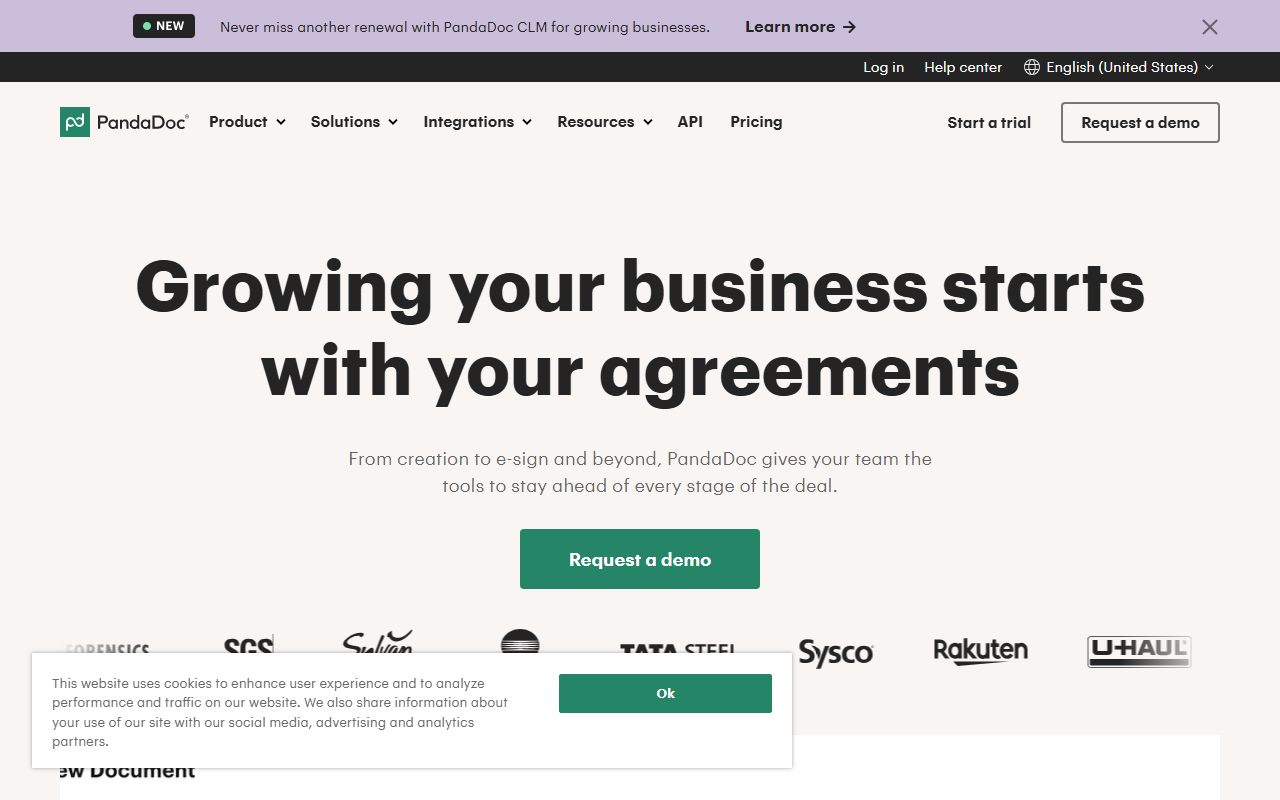
PandaDoc is a document builder that happens to collect signatures. The other two fighters on this card are signature tools that happen to accept a document.
That distinction decides who should buy it. The unit of work here is a document you assemble: a proposal with a pricing table, a product catalogue behind it and a payment button at the end.
The pricing follows that shape. Free meters documents at five a month. The paid plans unmeter documents and meter the automation instead.
The metering currency is called a usage credit. It appears on eleven rows of the comparison table, and the page never says what one costs.
There is also an alternative billing model offered in a side box: a document-based package with unlimited seats, priced on documents created rather than people logged in. No figure is attached to that either.
Four plans, then: Free, Starter, Business, Enterprise. Three have a price and the fourth has a conversation.
Teams whose documents stall before the proposal stage have a pipeline problem instead. Start with the CRM fight card for small sales teams.
Who PandaDoc is best for
The fit here is narrower and clearer than the feature list suggests.
- Sales teams sending priced proposals rather than finished contracts
- Agencies and consultancies whose scope, rate card and terms change per client
- Anyone who wants a deposit collected inside the document, which Business supports
- Small businesses who need a permanent zero-cost tier, since Free allows 5 documents a month
- Teams who value support hours over support promises, given 24 hour chat on every plan
- Organisations with many occasional senders, which is what the per-document package with unlimited seats targets
Who should skip it
Three profiles will find the bill or the compliance list blocking.
- Anyone who must forecast cost, because eleven rows depend on an unpriced credit
- Regulated buyers, since HIPAA is optional on Enterprise and absent from all three self-serve plans
- Monthly subscribers who need qualified electronic signatures, marked annual plan only
What each plan includes (as of October 2026)
Free is $0 and genuinely usable. The card lists 5 documents a month, the rich media drag and drop editor, real-time tracking and notifications, 24 hour email and chat support, limited API access and the MCP AI assistants.
The comparison table adds unlimited storage, folders and tags, search and filters, an audit trail, a signature certificate, two-factor authentication and up to 5 templates. For a plan at zero, that is a lot of ticks.
Starter is $19 a seat a month billed annually. It unmeters documents, adds the full document editor, themes, Microsoft Word editing, AI search, expiration alerts and document data reports.
It does not add templates. Both Free and Starter cap at 5.
Business is $49 a seat a month billed annually and badged Most popular. It is where the product becomes a quoting system.
It adds unlimited templates, custom branding, a content library, suggest edits, approval workflows, up to 3 deal rooms, pricing tables, collect payments, a product catalogue, CRM integrations, webhooks and AI data extraction.
Enterprise is a quote. It holds smart content, configure price quote, unlimited team workspaces, custom user roles, single sign-on, data residency in the US or EU and the optional HIPAA line.
One row is worth flagging twice. The API is ticked plainly on Free and reads optional, requires Usage Credits on all three paid plans.
How the pricing is structured
Two numbers per paid plan, and a badge that explains the gap.
Billed annually, Starter is $19 a seat a month and Business $49. Billed monthly they are $35 and $65.
The toggle is badged Save up to 46 percent, and the arithmetic locates which plan that applies to. From $35 to $19 is a 45.7 percent cut. From $65 to $49 is 24.6 percent. Both are editorial calculations from the published figures.
So the headline saving is a Starter number, not a Business number. A buyer reading the badge above the Business card is reading somebody else's discount.
Annual totals are not printed anywhere. At the annual rate, a seat costs $228 a year on Starter and $588 on Business, again editorial arithmetic.
The footnote under the cards says prices exclude any applicable taxes, and that an asterisk means the feature requires usage credits or is a paid add-on.
That asterisk is attached to custom quotes, CRM integrations, web forms, bulk send, CPQ, workflow automation and notary on the plan cards alone. The comparison table repeats it on eleven rows.
There is one more model on offer. A side box invites buyers to opt for a document-based pricing package with unlimited seats and pay only for the documents created. It carries a Talk to sales button and no number.
The usage credit is the thing to ask about first
This is the single biggest hole in an otherwise clear page.
The rows marked optional, requires Usage Credits, as read on October 24, 2026: documents created via API and automations, web forms, bulk send, internal automations, workflow automation tools and the API itself.
Salesforce integration carries a different footnote, optional, requires paid add-on. Content locking, email whitelabeling, configure price quote, AI renewal alerts, single sign-on and team workspaces read simply optional.
That is three kinds of extra on one table, and none has a published price.
The practical effect is specific. A team buying Business at $49 a seat for bulk send is buying the right to use bulk send, not the capacity to run it.
The Free column makes the gap sharper. There, documents created via API and automations read included in 5 a month with no separate limit, and the API row is a plain tick.
So the only plan with unmetered API access is the one that costs nothing, and the plan card calls that same thing limited API access. Both statements are on the page and we print both.
Before signing, get the credit price, the consumption per document and the overage behaviour in writing. None of the three is published.
Round 1, ease: what the 7 is built from
The page itself is well built. The pricing model behind it is not legible.
What earns the 7: four clean cards, a working monthly and annual toggle, an 80-row comparison table in ten labelled sections, and a tooltip on almost every row.
The cells are specific where they can be. Up to 5 templates. Up to 3 rooms. Annual plan only. 5 a month shared limit. Those are answers, not ticks.
Three points come off for the credit system. A table that says optional eleven times, in three phrasings, with no price list anywhere, cannot be read to a budget.
Part of one point goes for the missing annual totals, and part for the Save up to 46 percent badge sitting above all four columns when it describes the Starter discount only.
None of that is hidden. It is all disclosed and none of it is priced, which is a different failure from DocuSign's three published prices for one plan.
Round 2, features: what the 9 is built from
PandaDoc wins the features round on this card because it is the only fighter doing two jobs.
The document side has no equivalent here: a rich media editor with embedded video, themes, a content library, smart content, content locking, suggest edits, Microsoft Word round-tripping and approval workflows.
The commercial side is the real differentiator. Pricing tables, collect payments, a product catalogue and configure price quote turn a contract into a quote. Dropbox Sign has none of these on any plan.
The contract-management side is also present: a contract repository, AI search, AI data extraction, auto expirations, expiration alerts, AI renewal alerts and automated reports.
One point comes off, and it is for compliance depth rather than toolkit depth. DocuSign's table names 21 CFR part 11, FedRAMP moderate, DoD IL4 and Docusign Monitor. None of those appears here at any price.
HIPAA is the clearest case. On this card it is a single optional cell on a quote-only plan.
Teams whose problem is inbound requests rather than outbound documents should read the help desk fight card before adding another document seat.
Round 3, value: what the 7 is built from
Two points of this round are won by the free plan and two are lost by the credits.
Five documents a month at $0, permanently, with the editor, tracking, storage and 24 hour chat support, is the most generous zero-cost tier in this division. Dropbox Sign's free package allows three signature requests a month and DocuSign shows no free plan at all.
At three seats the comparison tightens. Business for three is $147 a month billed annually, which is $1,764 a year, against Dropbox Sign Standard at $900 and DocuSign Business Pro at $1,620. All three are editorial calculations from the published per-seat prices.
PandaDoc is the most expensive of the three at that size, and the only one that includes payment collection and a product catalogue for the money.
Three points come off for the credit system. A plan where bulk send and the API are rights rather than capacity has a real cost that is unknown at purchase.
One more goes for the template cap being identical on Free and Starter. Paying $228 a seat a year for the same five templates as the $0 plan is hard to justify on the table as published.
Round 4, support: what the 7 is built from
Seven is the best support mark in this division, and it is earned on availability rather than on commitment.
Four rows, all four plans ticked: help centre knowledge base 24/7, web ticket and email support 24/7, chat support, and user management. Free included.
No rival here puts a chat channel on a zero-cost plan. DocuSign's 60-row table does not mention a support channel at all.
Premium Support is marked optional on all four plans, which means the paid escalation path exists and has no published price. That is consistent with the rest of the page.
Not published, as read on October 24, 2026: any uptime figure, any response-time target, any refund policy.
The verified record is where this gets uncomfortable. The pricing page carries three rating badges with dates.
G2 at 4.7 out of 5 from 3,324 reviews as of 06/11/2026. Capterra at 4.5 from 1,197 as of 02/01/2025. Trustpilot at 4 out of 5 from 560 as of 02/01/2025.
Trustpilot's own structured data for pandadoc.com showed 2.1 out of 5 from 691 reviews on October 24, 2026.
Both numbers are real. The vendor's badge is dated nearly two years earlier, so the gap is partly age and partly selection. But a buyer reading only the badge is reading a 4 where the live profile says 2.1.
Three points come off for that, and for publishing no commitment of any kind. The availability ticks keep the round at 7.
Limits stated by the vendor
Published on the pricing page and its comparison table as of October 24, 2026.
- Documents created in the interface: 5 a month shared limit on Free; unlimited on Starter, Business and Enterprise
- Documents created via API and automations: inside the 5 a month on Free with no separate limit; optional and credit-metered on Starter and Business; custom on Enterprise
- Templates: up to 5 on Free and Starter; unlimited on Business and Enterprise
- Deal rooms: none on Free and Starter; up to 3 on Business; unlimited on Enterprise
- Credit-metered rows: API, documents via API and automations, web forms, bulk send, internal automations, workflow automation tools
- HIPAA compliance: optional on Enterprise; not included on Free, Starter or Business
- Data residency in the US or EU: Enterprise only. Single sign-on: optional on Business, included on Enterprise
- Annual plan only: qualified electronic signatures and recipient verification
- Salesforce integration: optional, requires paid add-on, on Business and Enterprise
- Prices exclude applicable taxes, and no annual total is printed for any plan
Alternatives
Dropbox Sign. Choose it if you want unlimited signature requests on a flat per-seat bill with no credit system at all, and your team is five people or fewer. Otherwise choose PandaDoc when the document needs building, not just signing.
DocuSign. Choose it if a regulator or a client contract names a control. HIPAA through a BAA, 21 CFR part 11 and FedRAMP moderate are on its table and not on this one at any price.
Otherwise choose PandaDoc when the proposal is the product.
Both are scored on the same four rounds in our e-signature division.
If the real gap is seeing which proposals are alive, that is a CRM job. Our pipeline division scores Pipedrive and HubSpot CRM on this card, with the bout Pipedrive vs Zoho CRM.
And if the documents being chased are support replies rather than quotes, read the Freshdesk review or the Help Scout review instead.
Bottom line
PandaDoc takes 30 on this card by having the widest toolkit and the least predictable invoice.
Start on Free. Five documents a month with the editor, tracking, storage and 24 hour chat is a real tier, and it is the only free plan in this division with chat support attached.
The plan to buy, if the document carries a price, is Business at $49 a seat a month billed annually, which is $588 a seat a year by editorial arithmetic. That is where pricing tables, payments and the product catalogue live.
Do not buy Starter for the templates. Both Free and Starter cap at 5, so the $19 seat buys unmetered documents and reporting, not a bigger template library.
Get the credit price in writing before signing anything. The API, bulk send and web forms are all rights on this page rather than capacity.
If HIPAA or data residency is a requirement, this is an Enterprise conversation with no anchor price, and the regulated features on offer are thinner than DocuSign's.
Every figure above was read on the PandaDoc pricing page, its comparison table, the plan data inside it and Trustpilot on October 24, 2026. Confirm prices, credit costs and taxes at the payment step.
Buy it if
- Your document carries a price, not just a signature, because pricing tables, a product catalogue and payment collection are on Business and on nothing else on this card
- You want to start at zero without a clock, since Free allows 5 documents a month permanently rather than for 14 or 30 days
- Support availability matters more than a support promise, as 24 hour email and chat are ticked on every plan here
- Many people need to send occasionally, which is the case the per-document package with unlimited seats is built for
Skip it if
- You need a bill you can forecast, because eleven feature rows depend on a credit whose price is not published
- HIPAA is a requirement, since the row is optional on Enterprise and not included on all three self-serve plans
- You intend to bill monthly, as qualified electronic signatures and recipient verification are both marked annual plan only
Frequently asked
Is PandaDoc free?
Yes, with a document cap. The Free plan is $0 for you and your team and allows 5 documents created through the interface each month, described as a shared limit. It includes the editor, real-time tracking, unlimited storage, an audit trail and 24 hour email and chat support.
How much does PandaDoc cost per user?
Starter is $19 a seat a month billed annually or $35 billed monthly. Business is $49 a seat a month billed annually or $65 billed monthly. Enterprise is quoted. Prices exclude applicable taxes and were read on October 24, 2026.
What are PandaDoc usage credits and what do they cost?
They are the currency behind eleven rows of the comparison table, including the API, bulk send, web forms and workflow automation. The page marks those rows optional, requires Usage Credits and does not print a credit price anywhere. Ask sales before budgeting.
Which PandaDoc plan includes the API?
Free shows a plain tick for API and its card calls it limited API access. Starter, Business and Enterprise all read optional, requires Usage Credits. So the free tier has the only API access on this page with no metering attached to it.
Is PandaDoc HIPAA compliant?
Only as an Enterprise option. The HIPAA row is marked optional on Enterprise and not included on Free, Starter and Business. Enterprise has no published price, so there is no self-serve route to a HIPAA configuration here.
How much does PandaDoc cost for a year?
The page does not print annual totals. At the published annual rates, $19 a seat a month is $228 a seat a year and $49 is $588, both editorial calculations. A three-person Business team therefore runs $1,764 a year before taxes.
What is the difference between PandaDoc Starter and Business?
Quoting. Starter covers unlimited uploads and e-signatures with up to 5 templates. Business adds unlimited templates, pricing tables, a product catalogue, payment collection, CRM integrations, custom branding, a content library, up to 3 deal rooms and approval workflows.
Does PandaDoc have good reviews?
The two sources disagree sharply. The pricing page quotes G2 at 4.7 from 3,324 reviews as of 06/11/2026 and Trustpilot at 4 from 560 as of 02/01/2025. Trustpilot's own structured data showed 2.1 from 691 reviews on October 24, 2026.
Sources
- PandaDoc pricing page, plan cards, 80-row plan comparison table and plan data embedded in the page (rendered in a headless browser) - checked October 24, 2026
- Trustpilot: PandaDoc reviews, aggregate rating in the page's structured data - checked October 24, 2026
- G2: PandaDoc reviews, as linked and quoted from the vendor's own pricing page - checked October 24, 2026
Update history
- October 24, 2026 - First scorecard. Eleven rows of the comparison table read optional, requires Usage Credits, and no credit price is published anywhere on the page; reported as unpriced rather than absent. The API row is a plain tick on Free and credit-metered on all three paid plans, while the Free plan card calls the same thing limited API access; both reported. The page quotes Trustpilot at 4 out of 5 from 560 reviews as of 02/01/2025 while Trustpilot's own structured data showed 2.1 out of 5 from 691 reviews on October 24, 2026; both reported with dates. Annual totals are not printed, so $228 and $588 a seat a year are editorial calculations. G2 and Capterra figures are the vendor's own badges: G2 returned a bot-challenge stub and Capterra a Cloudflare Attention Required page to a headless browser.
Visit PandaDoc
We have no affiliate relationship with this vendor. Link goes to the official site.